



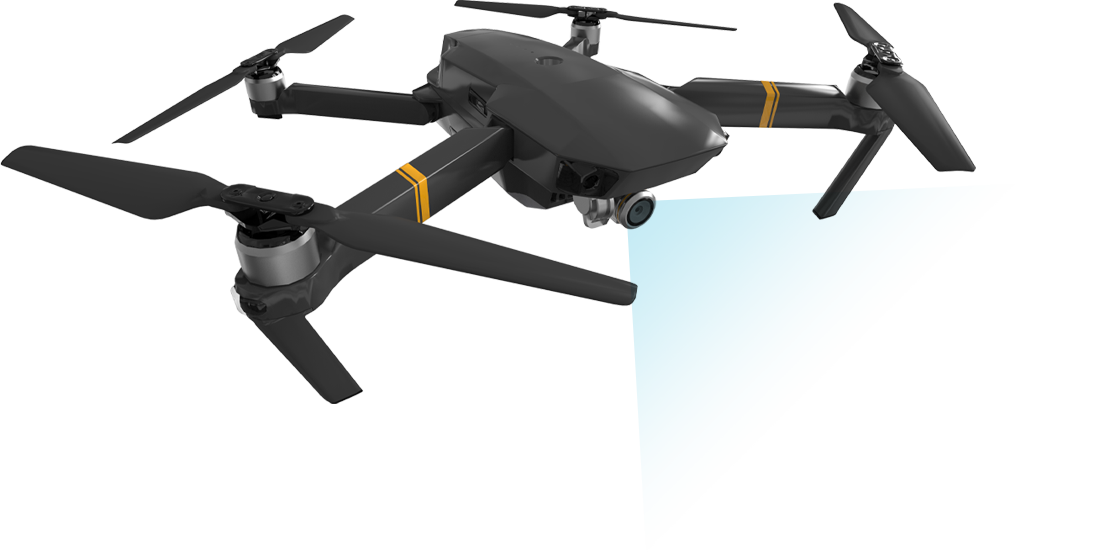



Did you know that drones can be used for more than just taking pretty pictures of your family holiday?
Yes or No?

Did you know that they can be used as powerful data collection tools?
Yes or No?

Do you know what photogrammetry is?
Yes or No?

Do you know what Graphics Information Systems (GIS) Software is?
Yes or No?
Take the FREE GeoWing Academy Mini Course here
If you have answered “no” to any of the above questions then you have come to the right place!
The GeoWing Academy Foundation, Intermediate and Advanced courses will take complete novices (or even experts) and upskill you to new heights and will form the foundation of your entire drone based GIS learning at GeoWing Academy. Learn all there is to know about drones, their history, what photogrammetry is and how GIS analysis can provide unparalleled insight into the world around us. With interesting lectures and practical components, these courses are designed for everyone! For all 3 Keystone courses, see Keystone Course Bundle Deal at the bottom of this page!
WE ARE UPGRADING
GeoWing Academy will be upgrading the Keystone Courses systematically over the coming weeks! The evolution of the powerful software platforms used in all GeoWing Academy training is incredible and we strive to keep you up to date with all things drone, photogrammetry and GIS. We are also making changes to the classroom for a better learning experience. If you have already joined or purchased a course, you will get instant access to all the upgraded content as soon as it is released.



INCOMING UPGRADES
The Foundation Course will be the first course to undergo major upgrades! We are excited to release new course material with an entire classroom upgrade for a better learning experience! Each Part will be upgraded systematically over the coming weeks. The existing course will still be available, but the new Parts will be rolled when they are ready. We thank you for your patience in advanced and look forward to having you on the course
The Foundation Course will provide you with everything you need to know in order get going using your Red Green Blue (RGB) camera consumer drone as a data capture platform. The Foundation Course consists of 4 parts.
The Foundation Courses consist of two theory lectures. Part 1 is for those who are brand new to UAVs and photogrammetry while Part 2 is a Pre Practical lecture on “Getting Started”. This is followed by two practical courses: Part 3 deals with Photogrammetry (Web Open Drone Map) and Part 4 is an introduction to Geographics Information Systems Software (QGIS). Raw image AND pre processed data sets are provided for the photogrammetry and GIS practical components. If you are undable to get WebODM to process the raw image data in the photogrammetry practical Part 3 just yet, no problem! Simply download the pre processed data set instead when you progress to the GIS practical in Part 4.
This course will take you an estimate of 4.5 hours to complete

PART 1 (Click here for more info)
For those who are brand new to UAVs and photogrammetry
• A history of UAVs
• Types of civilian UAVs
• Drone payloads (sensors, camera etc)
• What is photogrammetry?
• What is GIS?
• How UAV data and photogrammetry outputs can be used in different software platforms to quantify the world in different ways with examples.
• Drone laws and regulations (according to International Civil Aviation Organisation)
Course Duration: 57:52 minutes
PART 2 (Click here for more info)
Pre-practical lecture: Getting Started. Lets look at how we go about planning and executing a drone mapping mission.
- Airspace
Considerations
Google Earth SACAA layer example - What are we capturing?
AGL determines GSD
Calculating GSD - Photogrammetry Considerations
Gimbal/ camera angle
Flight Patterns
Image Overlap - Camera Considerations
A brief about cameras
Shutter types
Shutter speed & flight speed - Satellite, RTH, Kp Index
OAS sun Angle
Sun angle & shadow - Software & Firmware Updates
- Available autonomous flight apps for drones
Flight planning with DH
Lets Fly! - Understanding image data & correct data saving.
- Quick software run through, what are they & what are they used for? (WebODM, QGIS & Cloud Compare)
- Useful tips & tricks
Course Duration: 1:02:55 minutes
PART 3
WebODM Photogrammetry Practical
Part 3 will cover the foundation of how to generate maps and models from drone-captured data (explained in Part 2). And its brilliant!!! You will get to test out the software for yourself and generate your very own maps and models with the FREE DRONE IMAGE TRAINING DATA SET PROVIDED with the course and get detailed TRAINING DOCUMENTATION that will help you master the art of turning 2D images into 3D data ready for GIS analysis in Part 4!
- WebODM Photogrammetry
-
- Desktop Installer
- Lightning
- Lets make some models!
- Creating a project
- Loading data
- Processing options & Alignment
- How to navigate through different photogrammetry outputs & what they mean
- How to use measurement tools
- Brief look at photogrammetry Quality Reports & what the information means
- Export maps & models correctly for following GIS course.
- Useful tips & tricks
Course Duration: 53:31 minutes
USD$50.00
PART 4
Quantum Graphics Information Systems (QGIS) Practical
This course will cover the foundation of Graphics Information Systems software (GIS) and follows on from the WebODM practical. *If you are unable to process the data set from the WebODM course for whatever reason, please download the pre-processed data for this course! You will need to download and install QGIS (this course uses QGIS version 3.22.15 Bailowieza) from the Software/ Hardware Requirements page to complete this course.
• Add orthomap and digital surface model (raster layers) outputs from previous WebODM course to QGIS and order the layers correctly
• Raster layer properties menu and what it entails
• The importance of Coordinate Reference Systems (CRS)
• How to change visualisation of layers to better represent digital landscape information
• How to use quick measurement tools
• How to use feature identification tool, why it is so useful and what data it shows
• Learn how to add vector layers (digitizing) to raster layers
• Understanding attribute tables.
• Learn how to add measurement information to vector layers
• How to add labels, buffers and change styles of vector layers for better representation.
• Useful tips and tricks
• Free data is provided for this course (check Course System Requirements page to make sure your computer can run the programs and therefore the data set)
This in-depth course will give you the best foundation for acquiring, processing and understanding the power of aerial image data modelling.
Course Duration: 30:15 minutes

The intermediate course will look at using GIS to analyse vegetation health and quantifying vegetation data using RGB data. This will form a base line data set which can be used to monitor vegetation over time. You will need to download and install QGIS (this course uses QGIS version 3.40.11-Bratislava) and Cloud Compare (this course uses 2.12.4 Kyiv, Stereo) from the Software/ Hardware Requirements page to complete this course. It is recommended that you complete the Foundation course before attempting the Intermediate course. Here we will look at how to use photogrammetry outputs to understand vegetation dryness and separate soil and dead plant values out of RGB drone data and quantify healthy/moderately healthy vegetation and dry/soil information in cubic metres and so much more. The processes and tools used in the Intermediate Course are transferable to other industries such as agriculture, mining and industrial applications as well!
This course will take you an estimate of 3 hours to complete

PART
ONE
Click here for more information
PART 1
Process
Using the skills learned & map data provided in the Foundation Course, we now move onto the cool stuff! Here we learn how to delineate & quantify healthy vegetation, moderate vegetation & bare ground from the map data:
- Introduction
- Study site isolation
- Vegetation Indices
- Raster Calculator
- Data Reclassification
- Cleaning data (sieving)
- Data quantification using raster data
- Zonal Stats
- Exporting data to Excel
- Data analysis in Excel
- Data quantification using vector layers
- Converting raster data
- Visualising digitizing
- Fast Field calculating data
- Show Stats Summary
- Make It Pretty!
- Using Print Layout to make report ready maps
- Tips& Tricks
Course Duration: 42:52 minutes
USD$100.00
PART
TWO
Click here for more information
PART 2
Process
Now lets have a look at how to get some height data from our 3D point clouds in an Introduction to Cloud Compare. There are also some bonus tips & tricks waiting at the end
- Introduction
- An introduction to Cloud Compare
- Adding Points
- Navigating Point Clouds
- CSF Filter
- Mesh to Points Measure
- Visualise object heights
- BONUS
Course Duration: 25:28 minutes
Free data is provided for this course
(check Course System Requirements page to make sure your computer can run the programs and therefore the data set)
This course will provide you with a good understanding of how to conduct large scale vegetation health surveys and how to package the quantified analysis outputs into base line reports.
Did you know that drones can be used for more than just taking pretty pictures of your family holiday?
Yes or No?
Did you know that they can be used as powerful data collection tools?
Yes or No?
Do you know what photogrammetry is?
Yes or No?
Do you know what Graphics Information Systems (GIS) Software is?
Yes or No?
Take the FREE GeoWing Academy Mini Course here
If you have answered “no” to any of the above questions then you have come to the right place!
The GeoWing Academy Foundation, Intermediate and Advanced courses will take complete novices (or even experts) and upskill you to new heights and will form the foundation of your entire drone based GIS learning at GeoWing Academy. Learn all there is to know about drones, their history, what photogrammetry is and how GIS analysis can provide unparalleled insight into the world around us. With interesting lectures and practical components, these courses are designed for everyone! For all 3 Keystone courses, see Keystone Course Bundle Deal at the bottom of this page!
WE ARE UPGRADING
GeoWing Academy will be upgrading the Keystone Courses systematically over the coming weeks! The evolution of the powerful software platforms used in all GeoWing Academy training is incredible and we strive to keep you up to date with all things drone, photogrammetry and GIS. We are also making changes to the classroom for a better learning experience. If you have already joined or purchased a course, you will get instant access to all the upgraded content as soon as it is released.
INCOMING UPGRADES
The Foundation Course will be the first course to undergo major upgrades! We are excited to release new course material with an entire classroom upgrade for a better learning experience! Each Part will be upgraded systematically over the coming weeks. The existing course will still be available, but the new Parts will be rolled when they are ready. We thank you for your patience in advanced and look forward to having you on the course
The Foundation Course will provide you with everything you need to know in order get going using your Red Green Blue (RGB) camera consumer drone as a data capture platform. The Foundation Course consists of 4 parts.
The Foundation Courses consist of two theory lectures. Part 1 is for those who are brand new to UAVs and photogrammetry while Part 2 is a Pre Practical lecture on “Getting Started”. This is followed by two practical courses: Part 3 deals with Photogrammetry (Web Open Drone Map) and Part 4 is an introduction to Graphics Information Systems Software (QGIS).
This course will take you an estimate of 4.5 hours to complete
PART 1 (Click here for more info)
For those who are brand new to UAVs and photogrammetry
- A history of UAVs
- Types of civilian UAVs
- Drone payloads (sensors, camera etc)
- What is photogrammetry?
- What is GIS?
- How UAV data and photogrammetry outputs can be used in different software platforms to quantify the world in different ways with examples.
- Drone laws and regulations (according to International Civil Aviation Organisation)
- UAV considerations
Course Duration: 50:05 minutes
PART 2
Pre-practical lecture: Getting Started
- Available autonomous flight apps for DJI drones
- What the different programs are used for (WebODM and QGIS)
- How to best set up your camera for data capture
- How to plan a mapping mission
- Mission planning video showing how to use a flight automation app to capture data correctly.
- What to consider before flying and what to consider before planning an operation.
- Useful tips and tricks
- General aviation regulations according to ICAO/FAA (and the differences between civilian and commercial drone use).
Course Duration: 38:53 minutes
PART 3
WebODM Photogrammetry Practical
This course will cover the foundation of how to generate maps and models from drone-captured data (explained in Part 2). You will need to download and install Open Drone Map (WebODM) This course uses version 2.2.0 build 102 and comes with a free data set. If you are unable to download the WebODM installer, FEAR NOT! GeoWing Academy provides pre generated maps and models for use in Part 4 GIS Practical.
- How to correctly file your raw drone data and create folders for post photogrammetry outputs (data organisation for consistency)
- How to use photogrammetry software to generate maps and 3D models
- How to navigate through different photogrammetry outputs and what they mean
- How to use measurement tools, create shape files and contours in photogrammetry software
- Useful tips and tricks
- Brief look at photogrammetry reports and what the information means
- Export maps and models correctly for following GIS course.
- Free drone data is provided for this course (check Course System Requirements page to make sure your computer can run the programs and therefore the data set)
Course Duration: 37:36 minutes
PART 4
Quantum Graphics Information Systems (QGIS) Practical
This course will cover the foundation of Graphics Information Systems software (GIS) and follows on from the WebODM practical. *If you are unable to process the data set from the WebODM course for whatever reason, please download the pre-processed data for this course! You will need to download and install QGIS (this course uses QGIS version 3.22.15 Bailowieza) from the Software/ Hardware Requirements page to complete this course.
- Add orthomap and digital surface model (raster layers) outputs from previous WebODM course to QGIS and order the layers correctly
- Raster layer properties menu and what it entails
- The importance of Coordinate Reference Systems (CRS)
- How to change visualisation of layers to better represent digital landscape information
- How to use quick measurement tools
- How to use feature identification tool, why it is so useful and what data it shows
- Learn how to add vector layers (digitizing) to raster layers
- Understanding attribute tables.
- Learn how to add measurement information to vector layers
- How to add labels, buffers and change styles of vector layers for better representation.
- Useful tips and tricks
- Free data is provided for this course (check Course System Requirements page to make sure your computer can run the programs and therefore the data set)
This in-depth course will give you the best foundation for acquiring, processing and understanding the power of aerial image data modelling.
Course Duration: 30:15 minutes
USD$50.00
The intermediate course will look at using GIS to analyse vegetation health and quantifying vegetation data using RGB data. This will form a base line data set which can be used to monitor vegetation over time. You will need to download and install QGIS (this course uses QGIS version 3.40.11-Bratislava) and Cloud Compare ( this course uses 2.12.4 Kyiv, Stereo) from the Software/ Hardware Requirements page to complete this course. It is recommended that you complete the Foundation course before attempting the Intermediate course. Here we will look at how to use photogrammetry outputs to

hERE WE WILL LOOK AT HOW TO USE PHOTOGRAMMETRY OUTPUTS TO
This course will take you an estimate of 3 hours to complete
PART
ONE
Click here for more information
PART 1
Process
Using the skills learned & map data provided in the Foundation Course, we now move onto the cool stuff! Here we learn how to delineate & quantify healthy vegetation, moderate vegetation & bare ground from the map data:
- Introduction
- Study site isolation
- Vegetation Indices
- Raster Calculator
- Data Reclassification
- Cleaning data (sieving)
- Data quantification using raster data
- Zonal Stats
- Exporting data to Excel
- Data analysis in Excel
- Data quantification using vector layers
- Converting raster data
- Visualising digitizing
- Fast Field calculating data
- Show Stats Summary
- Make It Pretty!
- Using Print Layout to make report ready maps
- Tips& Tricks
Course Duration: 42:52 minutes
PART
TWO
Click here for more information
PART 2
Process
Now lets have a look at how to get some height data from our 3D point clouds in an Introduction to Cloud Compare. There are also some bonus tips & tricks waiting at the end
- Introduction
- An introduction to Cloud Compare
- Adding Points
- Navigating Point Clouds
- CSF Filter
- Mesh to Points Measure
- Visualise object heights
- BONUS
Course Duration: 25:28 minutes
Free data is provided for this course
(check Course System Requirements page to make sure your computer can run the programs and therefore the data set)
This course will provide you with a good understanding of how to conduct large scale vegetation health surveys and how to package the quantified analysis outputs into base line reports.
USD$100.00

Follow on from Intermediate Course Part 2. Understanding the importance of the knowledge gained from the Foundation & Intermediate Courses, this course will teach you how to automate the multi-step and complex processes learned in the Foundation and Intermediate courses. These skills will allow you to streamline your workflow and allow the computer to do the tedious work. There are also a few additional neat outputs that will help you when consolidating different software platforms in the more specialised projects related to conservation, mining, agriculture and forestry. You will need to download and install QGIS from the Software/ Hardware Requirements page to complete this course. You will have to have completed the Foundation and Intermediate courses to complete this course correctly and for a full understanding of what is going on in this course.
This course will take you an estimate of 3 hours to complete

Click here for more information Part 1
Part 1
1. What is it?
2. How it works?
3. Add layering
4. Adding algorithms
5. Process sequencing
6. Linking processes
7. Checking steps to ensure correct sequencing outputs
8. Trouble shooting
9. Tips & Tricks
Part 1 Course Duration: 29:30:00 minutes
Total Course Duration: 52:58:00 minutes
Free data is provided for this course
(check Course System Requirements page to make sure your computer can run the programs and therefore the data set)
Click here for more information Part 2
Part 2
Advanced Calculations & Trouble Shooting
1.Complex Field Calculations formula for data aggregation
2. The basics of working with data in Microsoft Excel
3. Trouble Shooting automations when using map data a different geo location
4. Tips & Tricks
5. BONUS TIPS: Ensuring that your study site is identified correctly each time you fly your site. This helps when looking at specific sites without the need for RTK precision.
Part 2 Course Duration: 23:25:00 minutes
Total Course Duration: 52:58:00 minutes
Free data is provided for this course
(check Course System Requirements page to make sure your computer can run the programs and therefore the data set)
USD$150.00

Get all three Keystone courses for a special bundled price.
Original price was: USD$300.00.USD$285.00Current price is: USD$285.00.
Follow on from Intermediate Course Part 2. Understanding the importance of the knowledge gained from the Foundation & Intermediate Courses, this course will teach you how to automate the multi-step and complex processes learned in the Foundation and Intermediate courses. These skills will allow you to streamline your workflow and allow the computer to do the tedious work. There are also a few additional neat outputs that will help you when consolidating different software platforms in the more specialised projects related to conservation, mining, agriculture and forestry. You will need to download and install QGIS from the Software/ Hardware Requirements page to complete this course. You will have to have completed the Foundation and Intermediate courses to complete this course correctly and for a full understanding of what is going on in this course.
This course will take you an estimate of 3 hours to complete
Part 1 (Click here for more info)
Part 1
1. What is it?
2. How it works?
3. Add layering
4. Adding algorithms
5. Process sequencing
6. Linking processes
7. Checking steps to ensure correct sequencing outputs
8. Trouble shooting
9. Tips & Tricks
Part 1 Course Duration: 29:30:00 minutes
Total Course Duration: 52:58:00 minutes
Free data is provided for this course
(check Course System Requirements page to make sure your computer can run the programs and therefore the data set)
Part 2 (Click here for more info)
Part 2
Advanced Calculations & Trouble Shooting
1.Complex Field Calculations formula for data aggregation
2. The basics of working with data in Microsoft Excel
3. Trouble Shooting automations when using map data a different geo location
4. Tips & Tricks
5. BONUS TIPS: Ensuring that your study site is identified correctly each time you fly your site. This helps when looking at specific sites without the need for RTK precision.
Part 2 Course Duration: 23:25:00 minutes
Total Course Duration: 52:58:00 minutes
Free data is provided for this course
(check Course System Requirements page to make sure your computer can run the programs and therefore the data set)
USD$150.00
Get all three Keystone courses for a special bundled price.
Original price was: USD$300.00.USD$285.00Current price is: USD$285.00.