


When it comes to capturing drone data correctly, it is important to understand what will happen during photogrammetry processing and how this will affect the results. It is also important to understand how the meta data used in the photogrammetry process changes from survey date to survey date and how this will affect the processing results of comparative data. Here’s why this happens and how to address it effectively:
Processing Drone Data from Different Dates:
Reconstructing 3D models or DEMs using images captured on different dates often results in misalignment or offsets. This happens because photogrammetry software relies on image metadata that is recorded to the image when the photograph is captured. The metadata includes the x, y, z position of the drone in 3D space. This is recorded by using the drones’ “brain” components which includes components such as the GPS unit, compass, Inertial Measurement Unit (IMU) barometer, ultra-sonic and vision sensors. Atmospheric data such as barometric readings (air pressure altitude) as well as satellite positioning (GPS) can vary significantly between survey dates. Even lighting differences can impact image stitching accuracy, but for the most part the lighting differences are corrected by a smoothing process during the image stitching process.
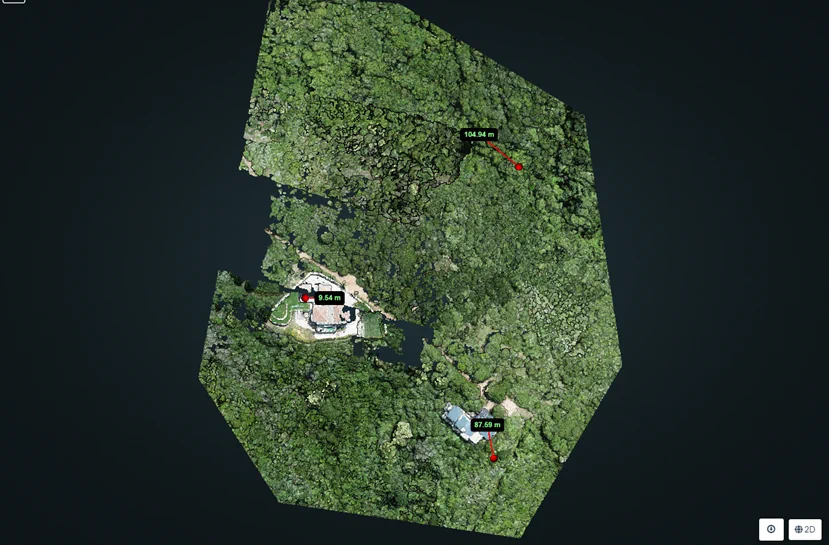
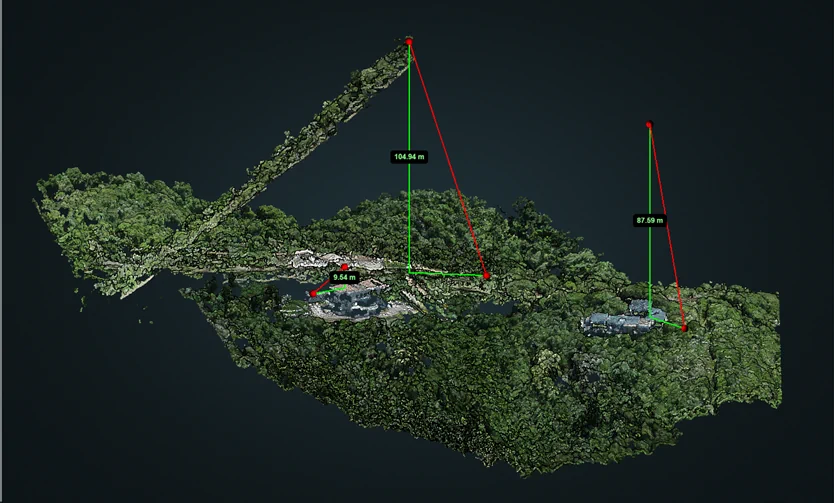
Figure 2: Side profile showing the lifting of points for the same reasons mentioned above (not enough/confusing image overlap and different atmospheric conditions between capture dates). The measurement tool in WebODM shows just how much error there is between “flyer” points.
Figure 1: 3D point cloud points lifted and side shifted from the model from due to insufficient image overlap. This may also occur when image data is captured on different days with varying atmospheric conditions such as sunshine, cloud cover and changing barometric pressures. The measurements of point misalignment are in metres.
Solution
1) Ensure high enough image overlap (min 60% front and side when using WebODM, see Foundation Course for more info) then stitch generated orthomaps in GIS afterwards. Ensure that there is enough map overlap for stitching. This may not work as well for DEM models as the elevation information may need to be matched or corrected before stitching.
2) Stitch images are sets that were taken on the same day rather than trying to stitch all together. This may work sometimes, but when enough time and atmospheric change has occurred between survey dates, there may be discrepancies in the data.
Contours highlight elevation differences when comparing data captured on different dates:
Viewing contours with labels in QGIS highlights elevation mismatches caused by metadata discrepancies. The elevation data on a DTM captured from one scan will differ compared to that of a scan done a few days later. When using an off the shelf consumer drone, the offset differences between maps and models regarding elevation and X and Y positioning can be in the 10s of metres. This is also true for RTK or PPK drones, but the offset will be much smaller (between 1 and 2cm). This is why it is important to use GCP, RTK or PPK methods where high precision geo-referencing is required.
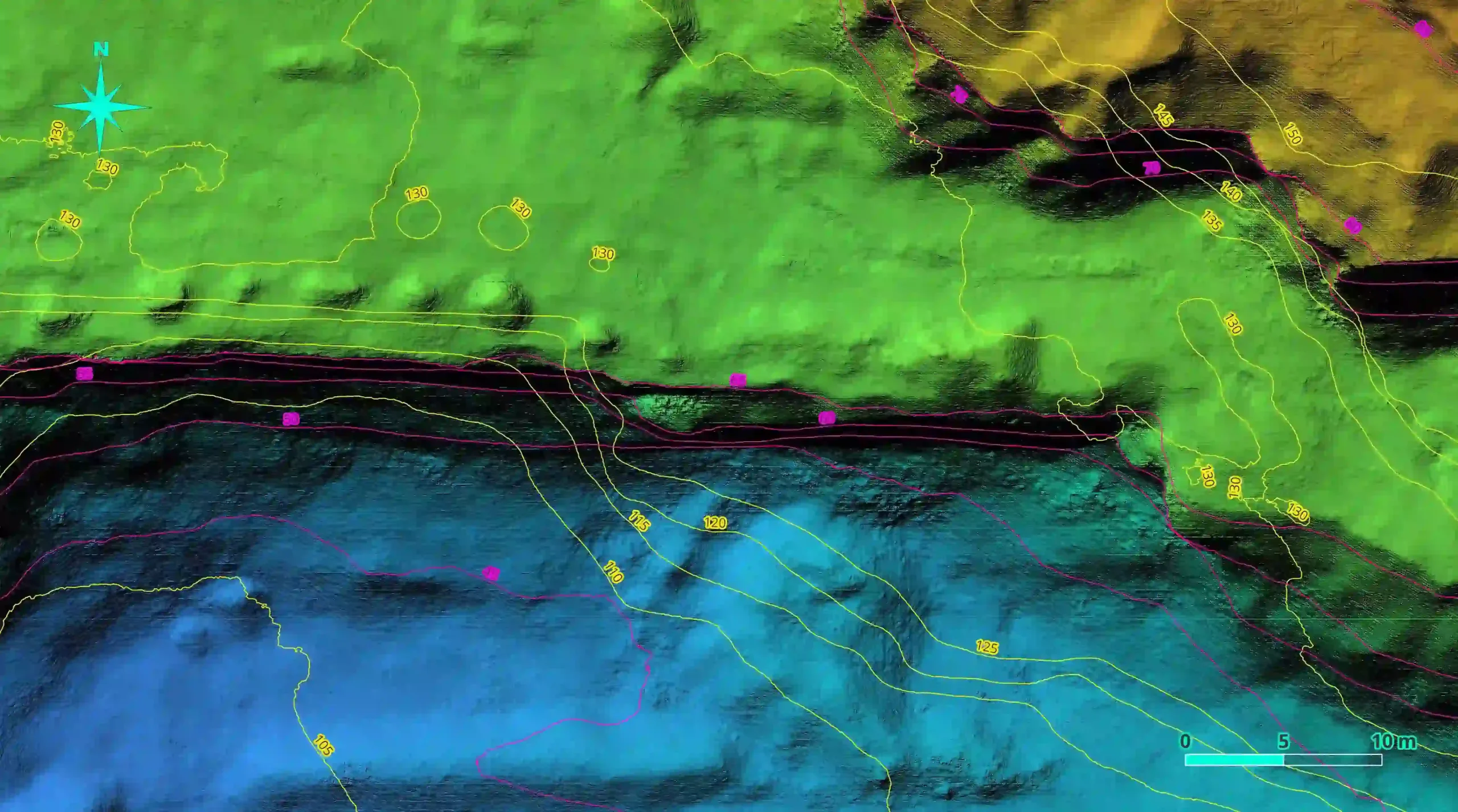
Figure 3: Map of a mine pit showing the 5 metre contours from two different scans (one in 2022, yellow, and the other in 2023, purple). Note that the 2022 scan indicates the contours in the 100s of metres whereas the 2023 contours are in the 10s of metres. This is due to the barometric pressure differences between the scan dates. The alignment of unchanged terrain contours do not align correctly with each other either (2.6m offset), this is because of the change in GPS variations between the two dates. Note the areas where excavation in the mine pit has taken place (red square, baseline contours of pre excavation date in yellow).
Solutions when using a consumer drone
1) Use ground control points (GCPs – a target visible to the drone from the air) that have been measured using surveying equipment to get the precise elevation and GPS coordinates of the target centre. Incorporate the GCP values and drone images of the GCP into WebODM using the GCP option before processing.
2) Post process alignment. If you have a baseline data set or map that has been correctly aligned using GCPs or RTK data (if precision georeferencing is necessary) you can align the following comparative data sets from different dates to the baseline data in QGIS using the georeferencing tool. If georeferencing is not required, align your comparative data sets with your non-georeferenced baseline every time. Using fixed GCPs just as visual aids will help here too; even if they are not survey grade GCPs (the alignment process will be faster). This way ensures consistency. Further steps may be needed to ensure elevation matching to the baseline data set.
3) You can align your comparative 3D point clouds with the baseline data in Cloud Compare.
Even Google Earth Images Shift:
Did you know that Google Earth maps also show offsets between years? This highlights the challenge of achieving perfect geospatial alignment across datasets.
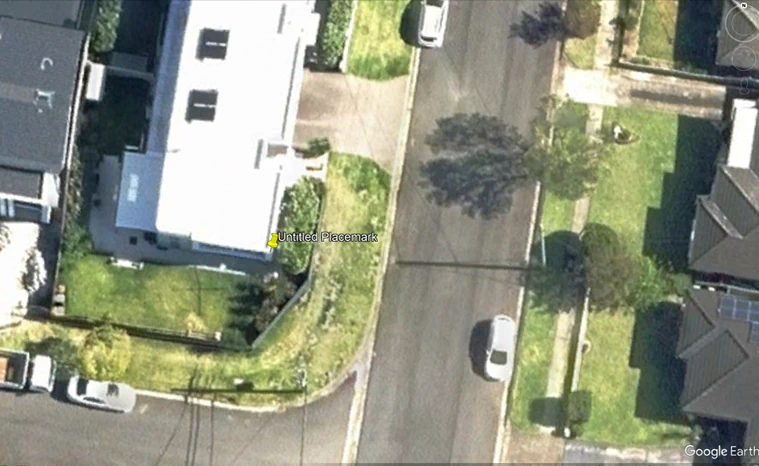
Figure 4: Note the pin positioned on the corner of the roof of a house on Google Earth.
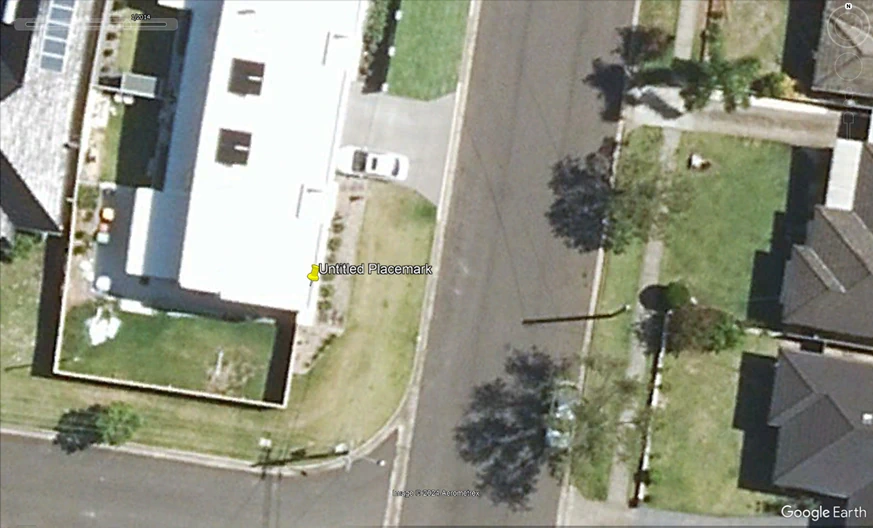
Figure 5: Google image of the same house without adjusting the pin a year earlier. Offset to roof corner: 1.62m, bearing 204.48 degrees.
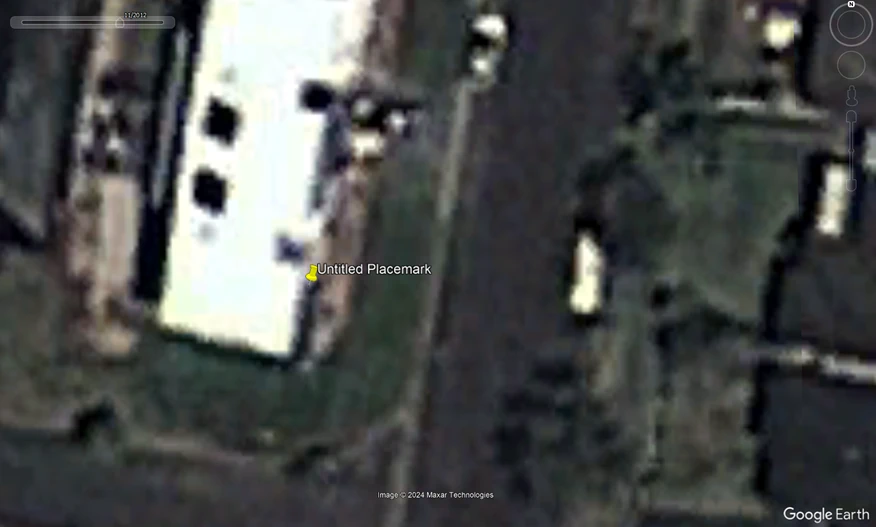
Figure 6: Offset and image detail of the same house in 2012. Offset: 4.47, bearing 197.74 degrees. The pin has remained in the same place. This also illustrates how drones can be used to get up to date information in rural areas where satellite data may be very out of date and look like this.
Importance for Ground Survey Data:
When combining ground survey data from a surveyor with non-RTK drone data, alignment can be corrected using tools like the GCP pre-processing tools in WebODM, post processing methods in CloudCompare or georeferencing in QGIS are also options but take more time and knowledge to aligne map data sufficiently to a baseline data set. Aligning drone data to ground survey data ensures better geospatial consistency. If georeferencing is not required, always align datasets to the baseline data set.
Relative vs. Absolute Accuracy:
Drone maps provide high relative accuracy, which makes volume, line, and area measurements within the drone map itself in GIS reliable and real-world accurate. However, for engineering-grade georeferenced precision (absolute), the use of surveyed GCPs or RTK (Real-Time Kinetic) drones is essential. RTK provides high GPS accuracy by referencing a base station, yet even RTK-captured maps can shift geographically over time—much like Google Earth imagery.
If georeferencing accuracy is critical (e.g., for engineering projects), consider RTK drones or integrating ground control points (GCPs). For most other applications, drone maps are sufficiently accurate for measurements within the dataset itself.