


When looking at orchards and plantations, the short answer to this question is “Much less than you think”! The long answer: “How to go about it?” Let’s dissect that a little shall we?
Data collection using an off-the-shelf consumer drone that is capable of functioning with either proprietary or third party mission planning apps is a fairly simple process:
- demarcate the target area (with a good amount of buffer around the edges),
- set the altitude (consider target size therefore ground sampling distance – GSD – requirements),
- set the image overlap (80 front / 80 side for good canopy coverage),
- set the flight speed (remembering that weather conditions determine shutter speed which determine flight speed)
- and off you go!
Let’s say we want to count the number of trees in our newly planted orchard, inspect their canopy health, and acquire each plant’s GPS coordinates. The field is fairly homogenous, there are a few grasses, ferns, weeds and sedges between the newly planted trees, but for the most part the rows are clear (it’s important to consider when to fly and that the cleaner your target area, the cleaner your computations). The tree canopies are fairly well established, so a GSD of ~3cm per pixel will suffice (90-100m above ground level flight level when using a DJI Phantom 4 Pro V2).
Processing the data is a fairly straight forward process too; in WebODM simply using the default “High Resolution” settings will generate the RGB orthomaps, Digital Surface Model (DSM) and 3D point clouds required for later use in Cloud Compare and in QGIS along with the machine learning algorithms from the Orfeo Toolbox.
Goody! So we know what our project, data capture and processing requirements are and we have our maps and models ready.
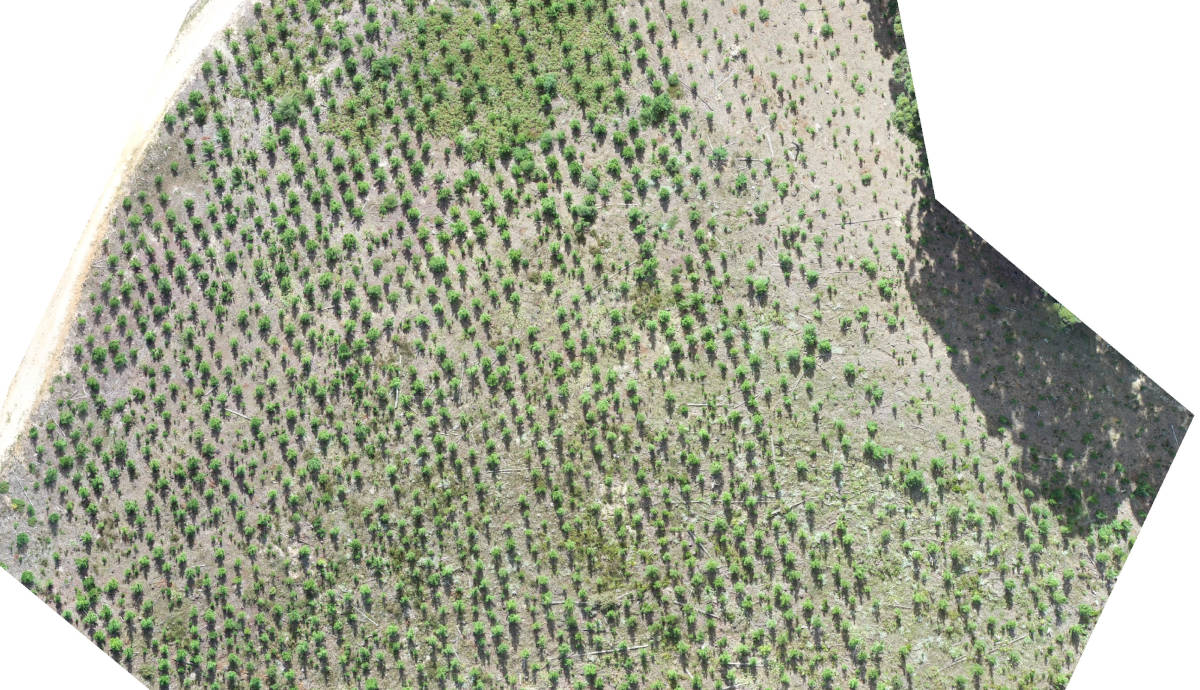
Figure 1: Scan area, roughly 3ha. Mostly bare ground, good tree separation. Weeds, grass, sedges and ferns have started to encroach in some areas.
Now we need to download the Orfeo Toolbox libraries and get our hands dirty for a minute. These powerful machine learning algorithms allow us to customise our output requirements and make fine adjustments to the machine learning process which will help when it comes to isolating objects within our RGB drone data sets. These algorithms work best when the target area has well contrasting vegetation and definitive objects as it is easier for the algorithm to classify pixels. So for orchard and plantation detections, these algorithms are usually able to detect the target trees with a high level of confidence and accuracy. You just have to know how to tune them correctly.
Adding layers of depth for the algorithm to read off also improves the detections by giving the algorithms more information. This can be done by adding vegetation health index maps and tree canopy height models (CHMs) extracted from 3D point data. When working with plants and when you have access to multispectral drone data (Near infrared and red edge) you can add these layers or create index models using the multispectral information to create a good level of depth for the algorithm to feed on. In this example, only RGB data and RGB indices were used.
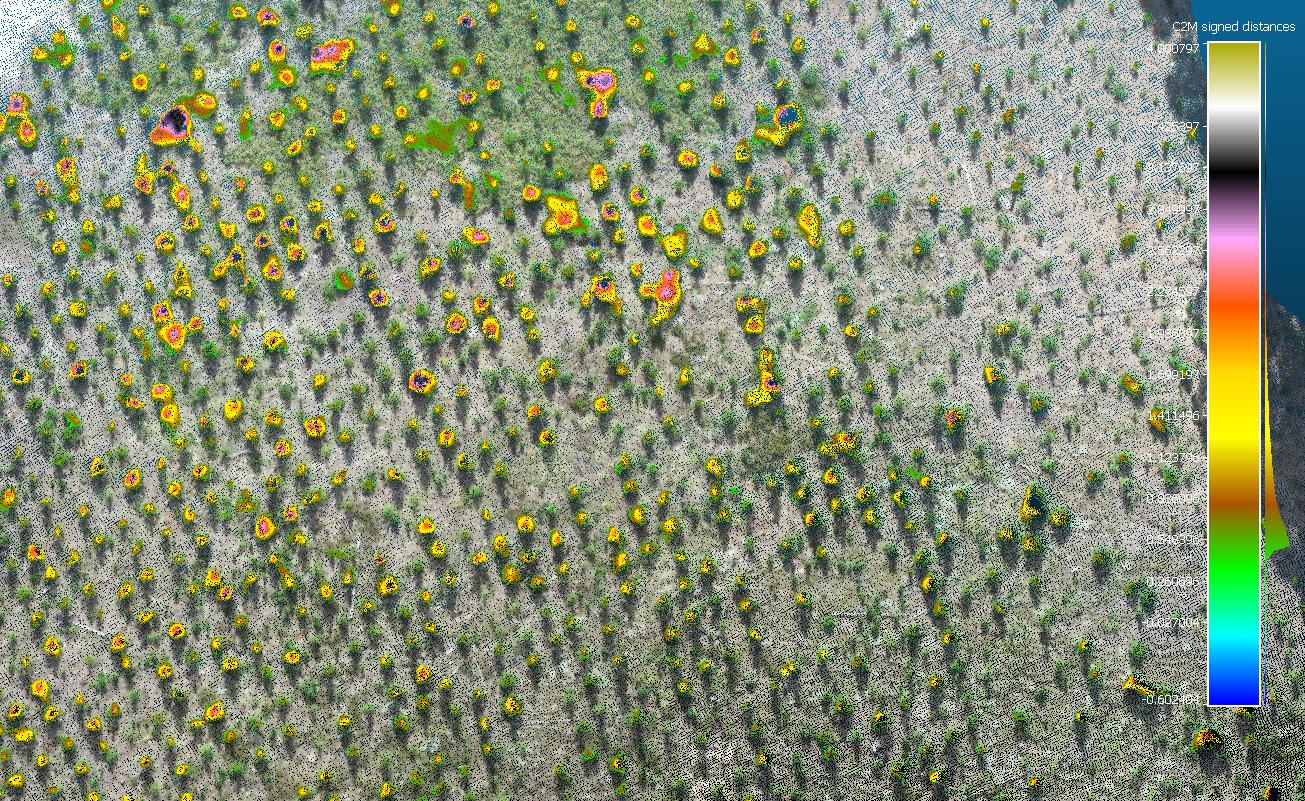
Figure 2: Overhead view of the canopy height model (CHM) generated using 3D point clouds (scale bar on the right in metres)
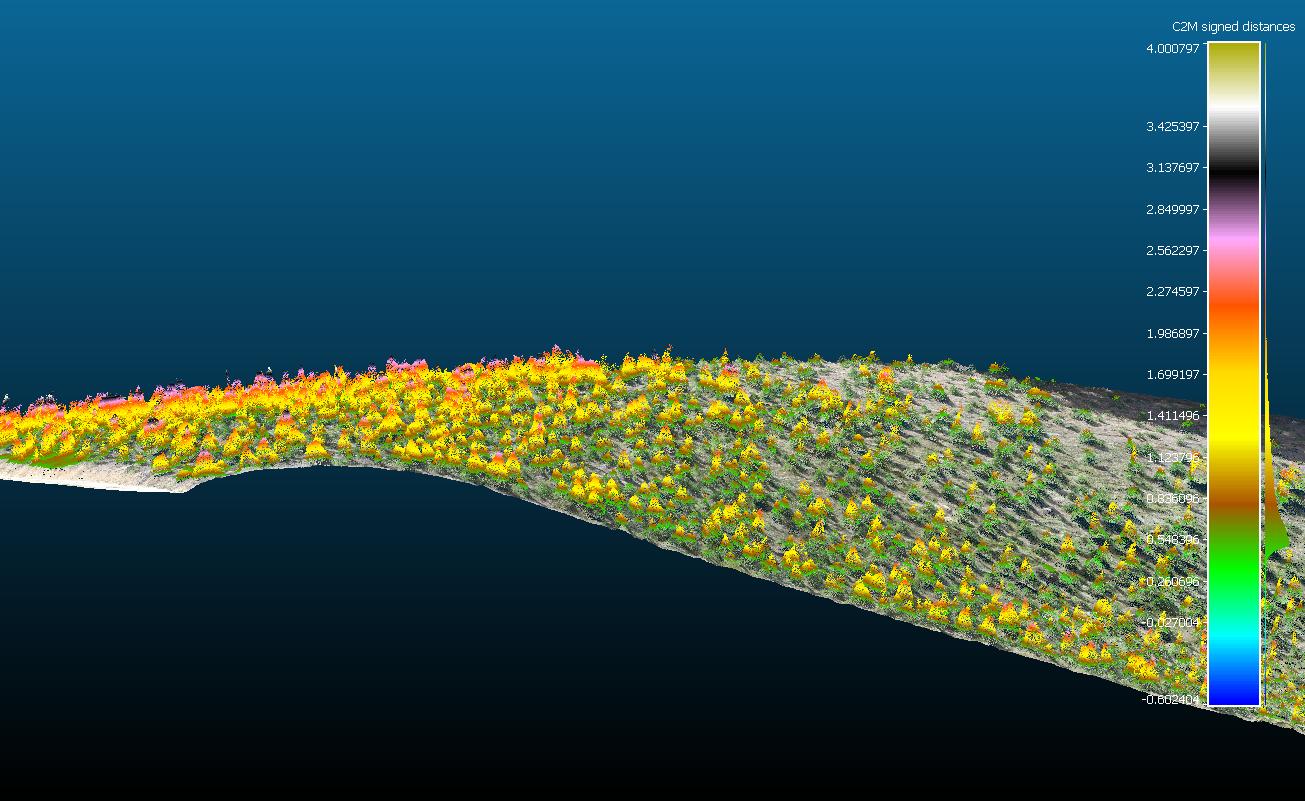
Figure 3: Side view of the CHM showing terrain gradient as well
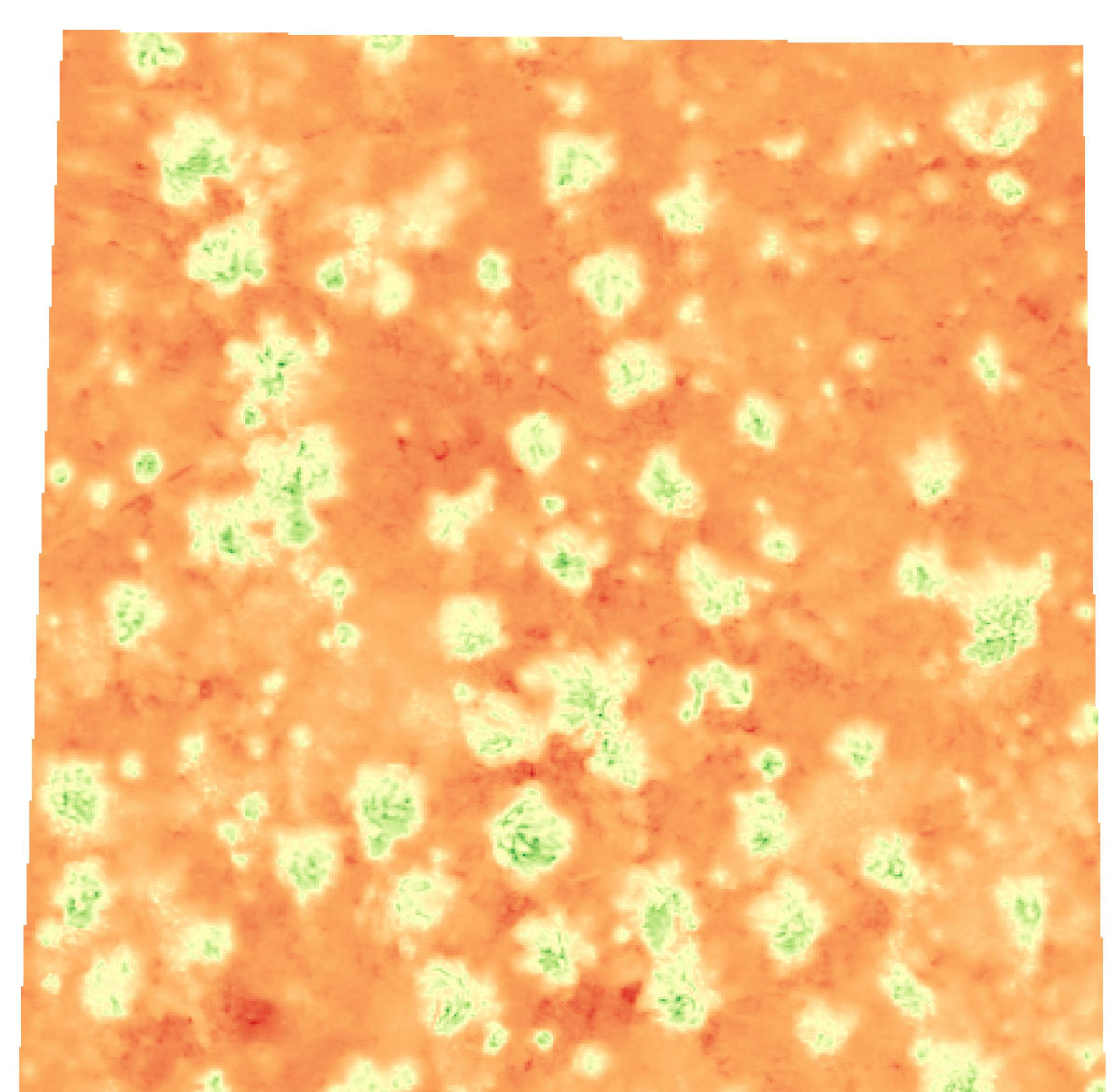
Figure 4: Plant health index
Now we need to train the algorithms what to look for; this is effectively a “supervised classification” where you are telling the algorithm what-is-what in the image, then isolating the required object from the “noise”.
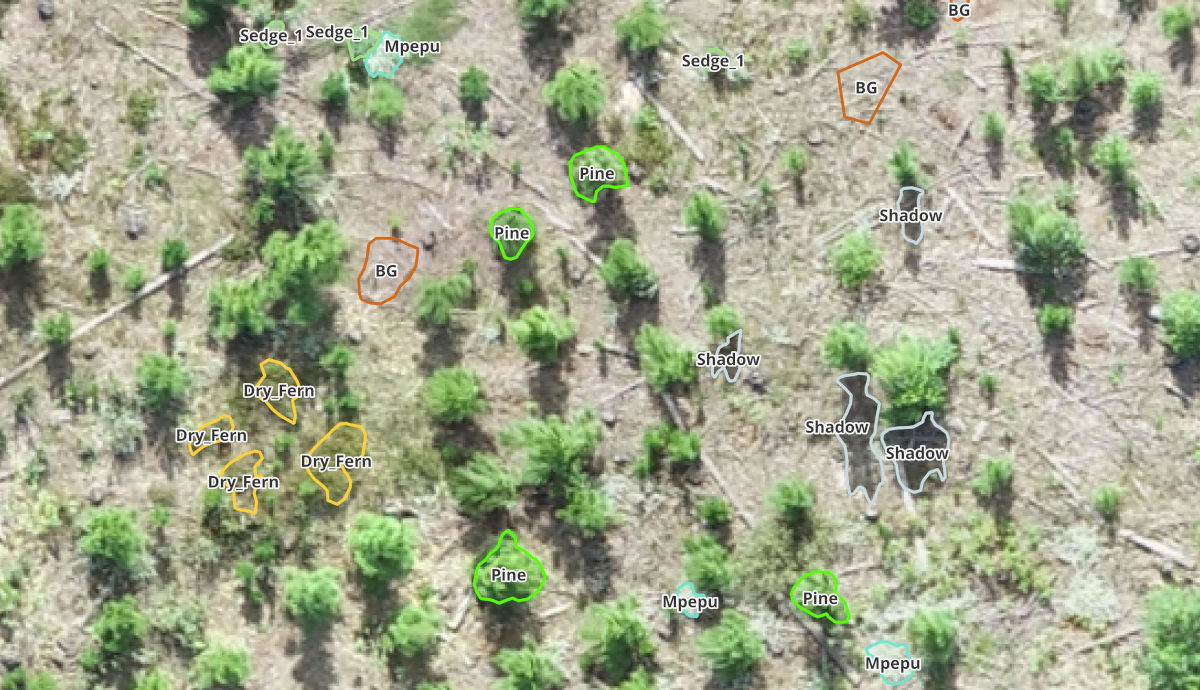
Figure 5: Training polygons that tell the algorithms what to look for in the image
Once the tuning has been tested and you are satisfied with the detection accuracy and results, you can then decide on the data you would like to output from the detections, such as plant health for each tree, canopy area, tree spacing, GPS location, average tree heights etc. The big advantage of open source software is that it is highly customisable and it is very easy to design a model that spits out the specific data you need.
The importance of layering and choosing and tuning the correct algorithm for the job when you compare detection data becomes clear.
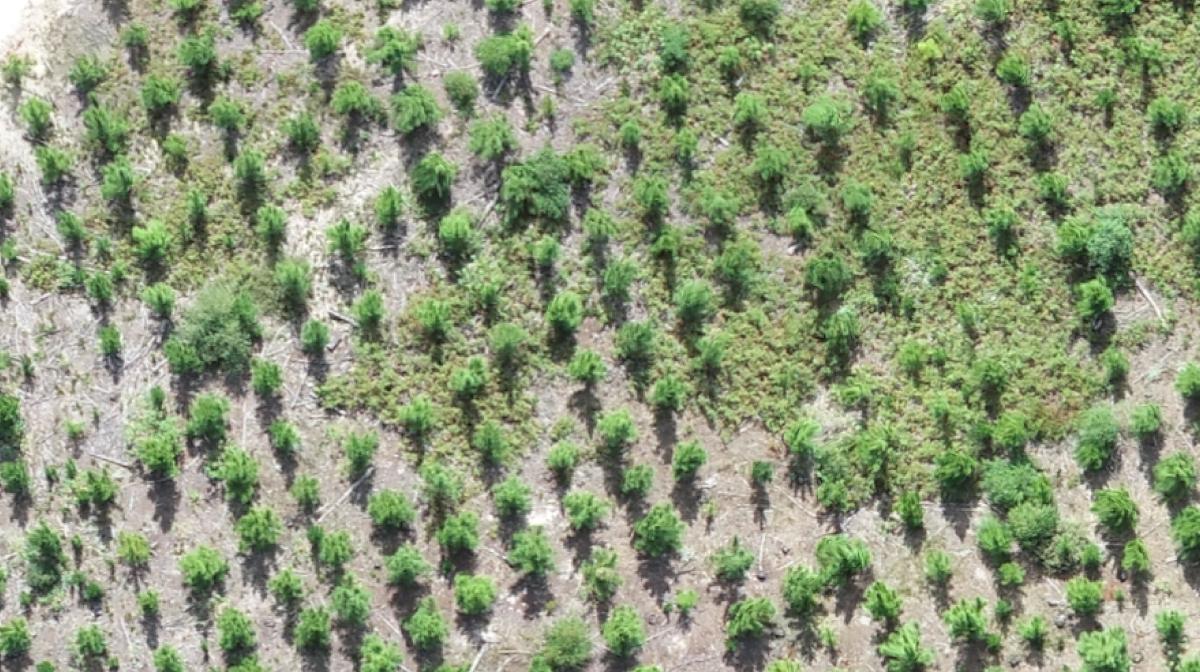
Figure 7 (right): Basic detections, no layering using the default settings in orange
Figure 6 (left): Target area with mixed vegetation. The similarities in vegetation RGB colour of some plants may cause confusion for the algorithm (a fern might be misidentified as a target tree for example). This is why layering, tuning and using the correct algorithm with the right amount of training information is important.
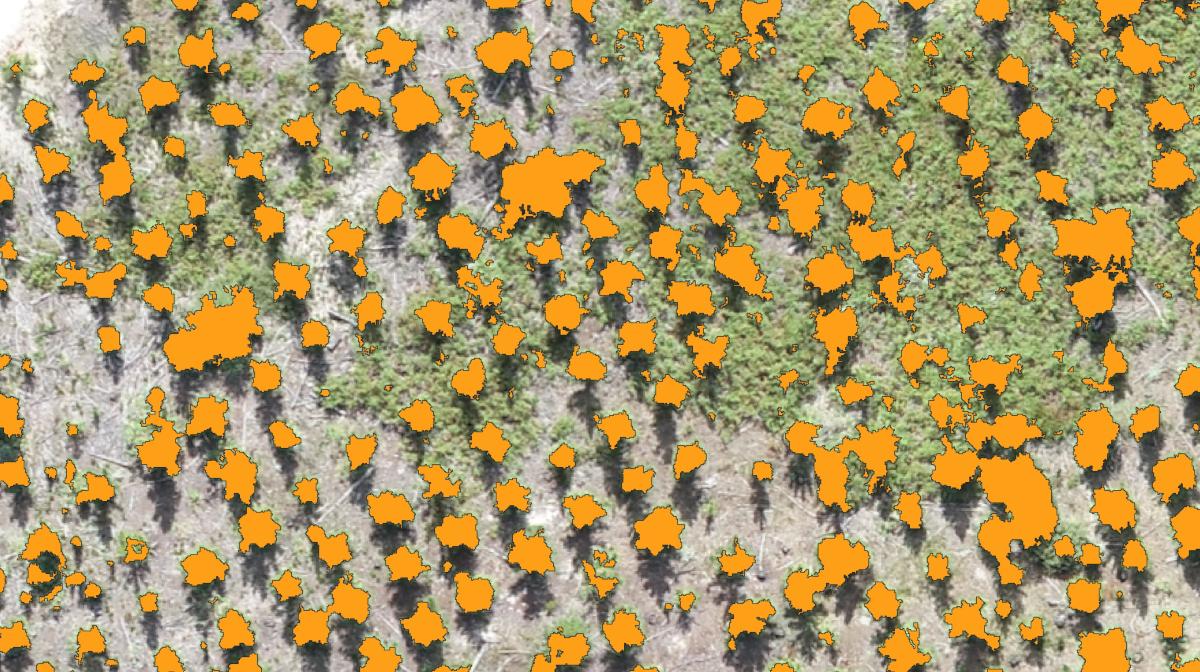
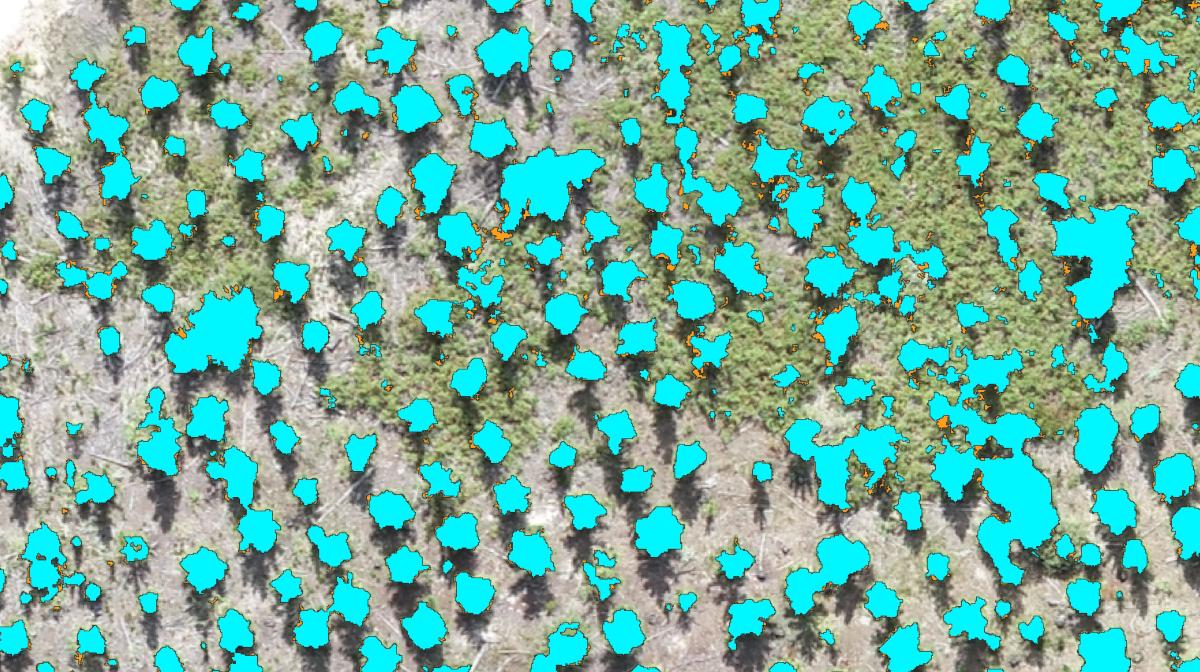
Figure 8 (left): Basic detections, no layering some tuning in blue over orange (note the slight difference of the detection, excess incorrect pixels are now excluded).
Figure 9 (right): Finer tuning green over orange and blue.
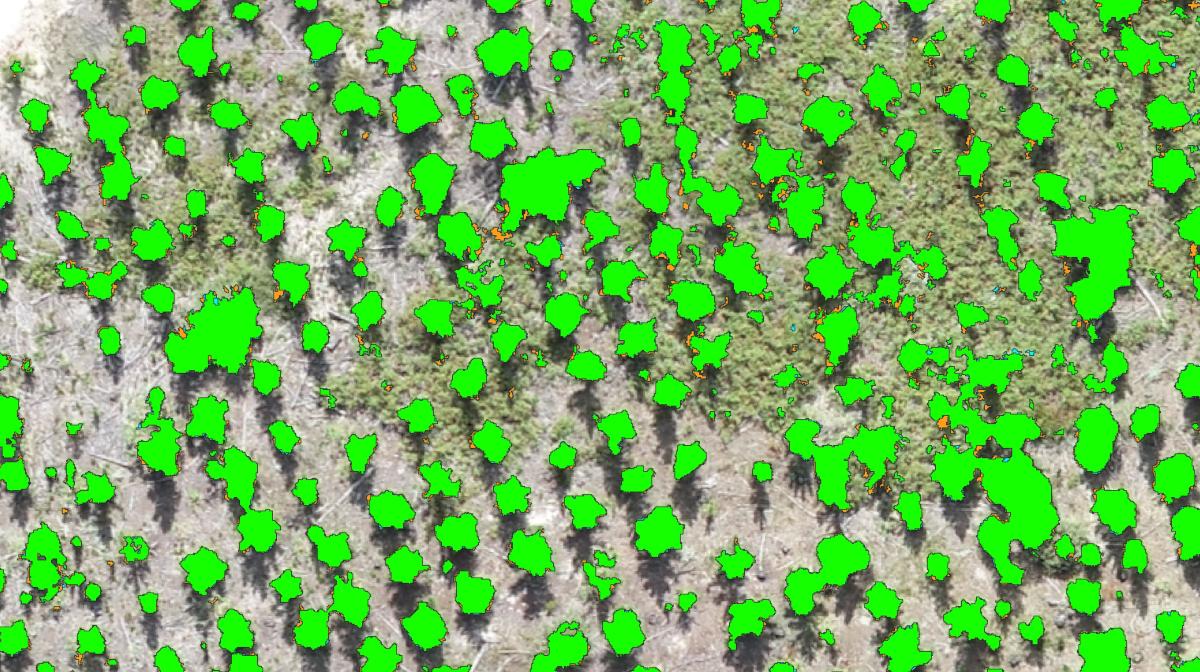
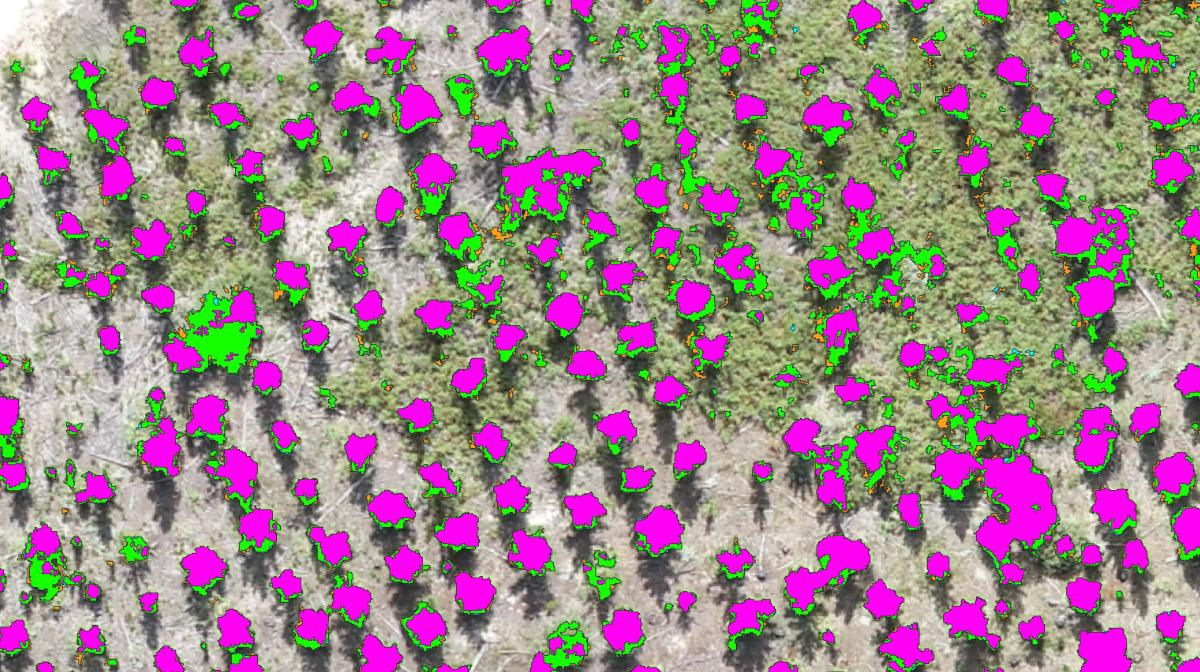
Figure 10 (left): Finer tuning, additional training data and the introduction of an additional vegetation health index purple over orange blue and green.
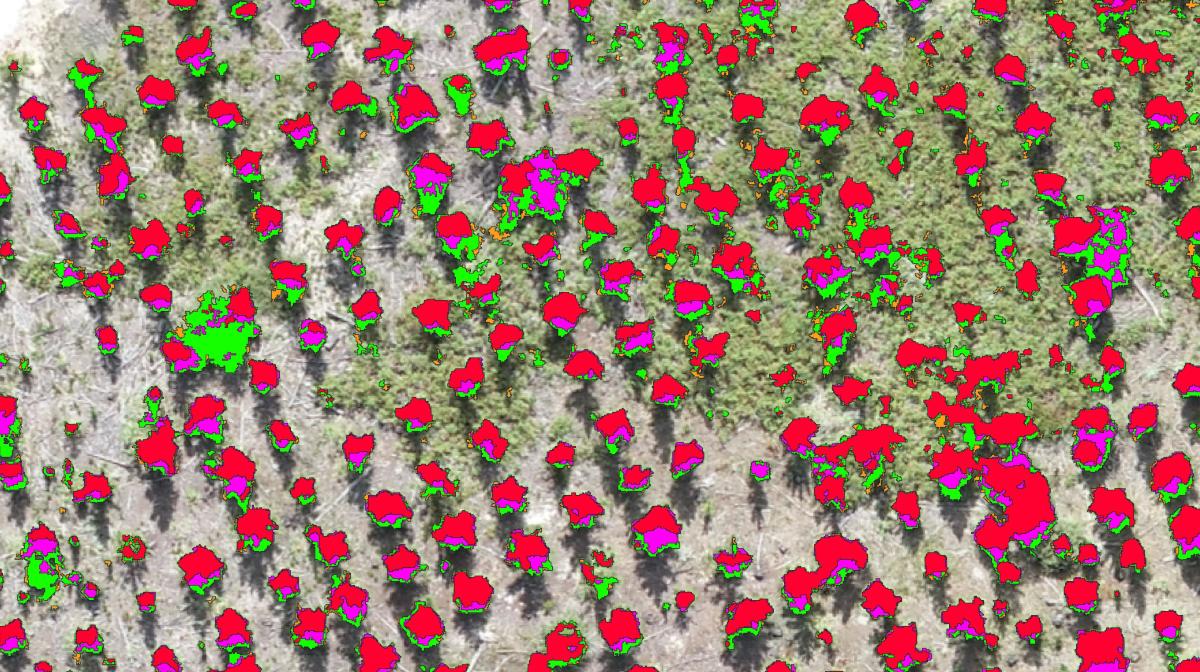
Figure 11: Finer tuning, additional training data and the introduction of an additional vegetation health index using an alternative algorithm that was finely tuned (in red). Note how the algorithm is now eliminating all non-target tree pixels and only finding the correct object.
Once tuned, the pipeline is ready for repeatable use with very minimal input required. The drone maps go in, you tell it what to look for, hit run and the data tables come out the other side. Super easy! The tuning may take a bit of time initially, but once tuned you don’t have to tune again! So lets say you want to look for alien vegetation in indigenous forest during the flowering season, find and count sea cucumbers on a shallow reef or look for ground bird nests in open areas, the process becomes a lot faster and simpler than having to do so with traditional methods only (it is important to note that you must still ground truth the outputs and don’t rely soley on the technology! Drones and GIS are “force multipliers” and not “silver bullets”).
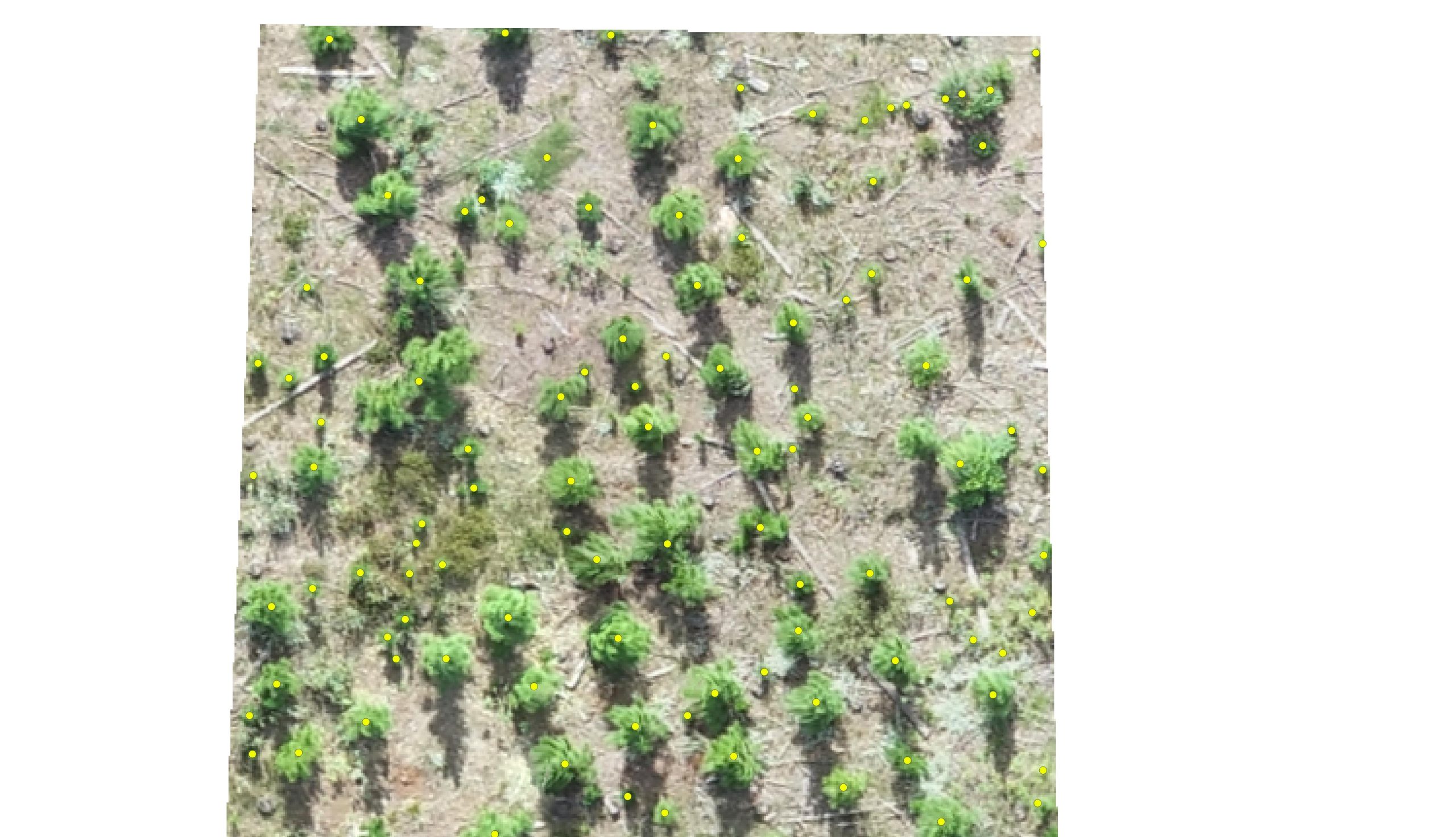
Figure 12 (above): Tree detections marked by points after the detection pipeline was tuned and automated. The process needs to be smooth with as minimal input and as repeatable as possible. So: data maps in – train model – data tables out.
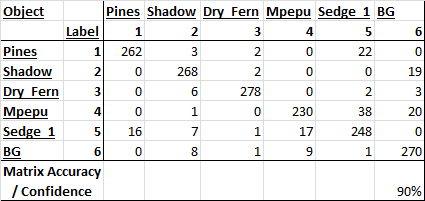
Figure 13 (above): The confusion matrix shows how confident the algorithm was with detecting trees. It is not possible to get 100% with RGB data or even hyperspectral, so this needs to be factored into the statistical analysis. More complex maps with very complex scenery and close colour matching between species means confidence may go down.
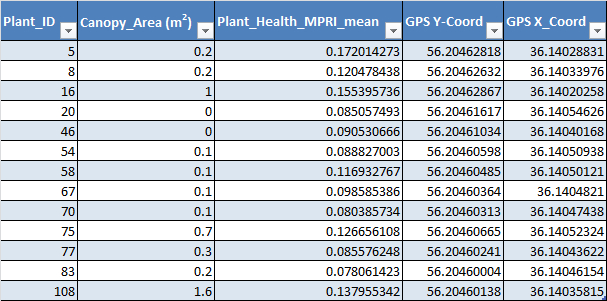
Figure 14 (above): An example of the data tables outputs that are generated through the custom pipeline.
So what does all of this have to do with cost? Well let’s break it down. An off-the-shelf drone may cost a few hundred dollars and a mission planning app that automates the drone’s flight path for simple mapping missions is either free or has a small monthly fee of a few dollars. So that is the hardware side of things. Then there is the photogrammetry software; with WebODM, the installation driver is extremely affordable compared to proprietary software such as Pix4D or cloud-based platforms such as Drone Deploy, which can easily go into the thousands of dollars for the subscriptions (don’t get me wrong, these are phenomenal platforms but are not necessarily in the range of a farmer’s or a conservationist’s budget). It is also free if you have the tech skills to install the drivers yourself. Now on to the GIS software: well QGIS is totally free (donations to the project are a must if you are to use this software though, without these brilliant minds giving their time to building this software, we wouldn’t have these tools so please donate) and so is the Orfeo Toolbox with all the machine learning libraries. The cost of training is also inexpensive and within a few days you can go from zero understanding of drones and GIS to creating your own custom machine learning pipelines for your project specific needs (go to www.geowingacademy.com for more information).
So for under USD$1000 you can capture, store, analyse data, build and customise your own reusable machine learning process that can be used over and over again with minimal inputs for massive outputs as well as keep digital records for later comparative use.
Lastly we have to factor in time (after all time is money). How much time and therefore money do you save by using technology for data capture and analysis compared to using traditional survey methods? The answer to that is…priceless!