
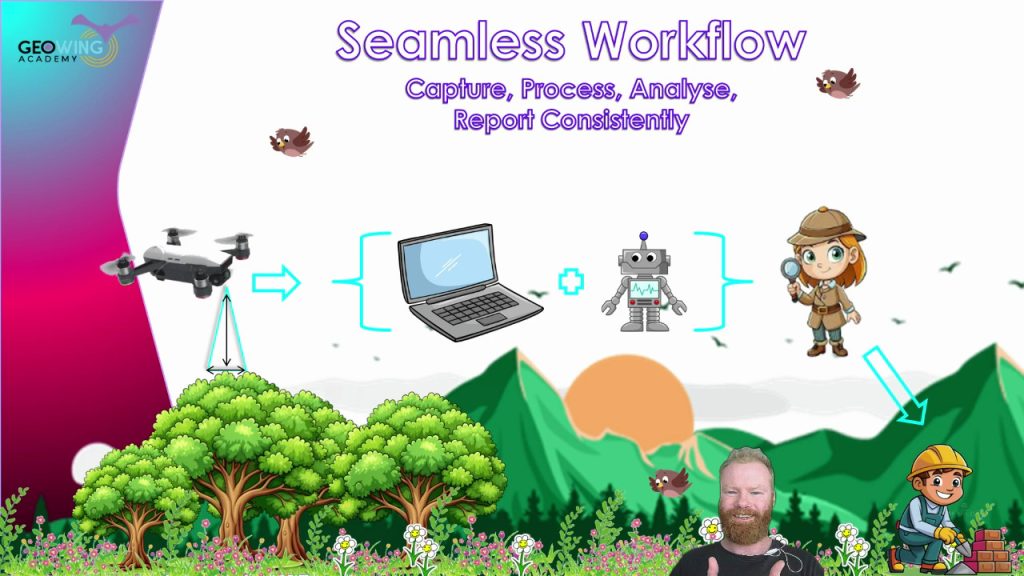

“So here’s a thought, what is the point of learning open source? Why not just do an ESRI or ArcGIS course?” I found myself asking myself a number of years ago before I went face first, full tilt down the open source software rabbit hole. This was long before I had even thought of starting GeoWing Academy, before I knew how to properly capture data with flying robots. I had no idea just how much more information was hiding in those images — far beyond the usual mining or agriculture outputs that the big proprietary platforms like to showcase.
And that is still a great question, why learn open source? Most of the stuff I could find online was about proprietary photogrammetry software and GIS software. I used the trial periods provided by the platforms that allow you to use the software for free to get an idea of it and learned what I could but was always left wondering, “well that’s cool and all but I want to do X, Y and Z”. Initially I thought I was asking too much of the software and thought that I was probably not going to be able to do what I wanted with the software, particularly with regards to the complex nature conservation applications I had in mind. But as with everyone around the world at the time, I had time on my hands loads and loads of time. I was bored of Netflix by day two of the global lockdowns and could feel my brain turning to snot. So I returned to the drone data analysis questions I had and slowly started to realise that what I wanted to do was possible, but needed a deeper understanding of how both data collection, photogrammetry and geospatial software worked and how they fitted together. Then, along came open source!
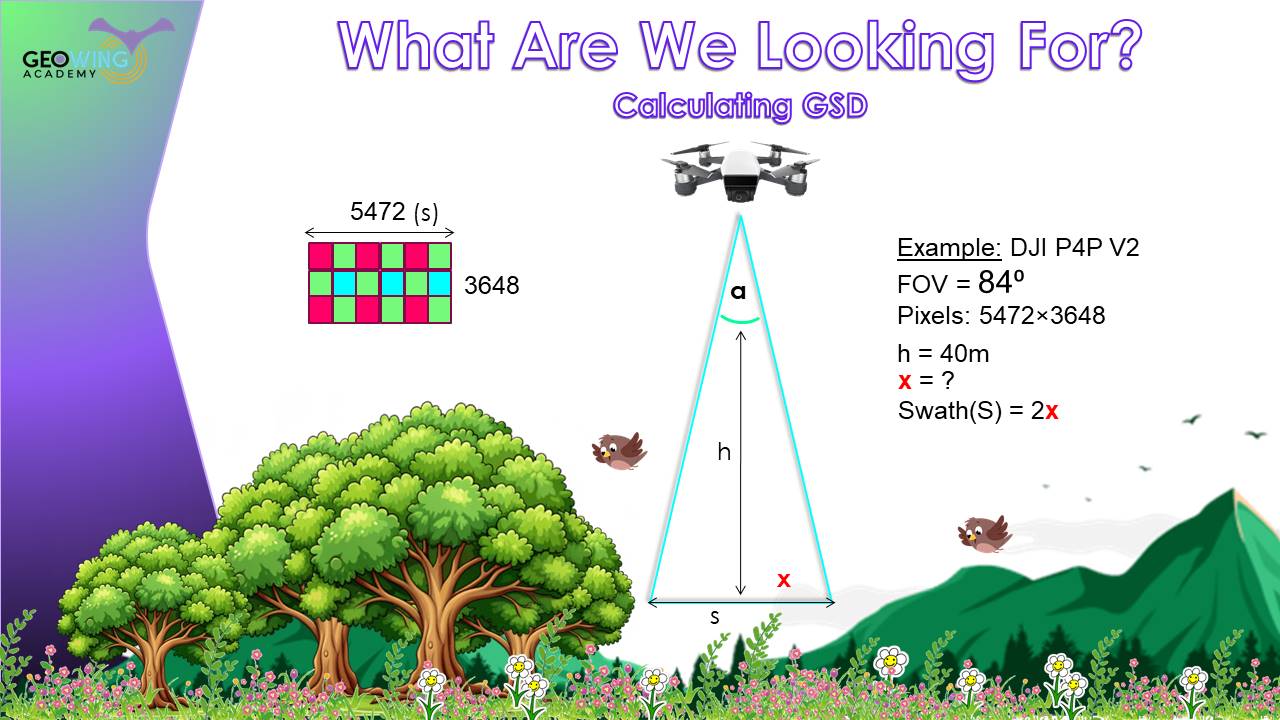
Image 1: It is important to understand why and how to calculate the Ground Sampling Distance (GSD) for your data capture needs. The size of your pixels will determine your ability to correctly analyse your data in GIS down the line. Foundation Course Part 2 classroom snapshot
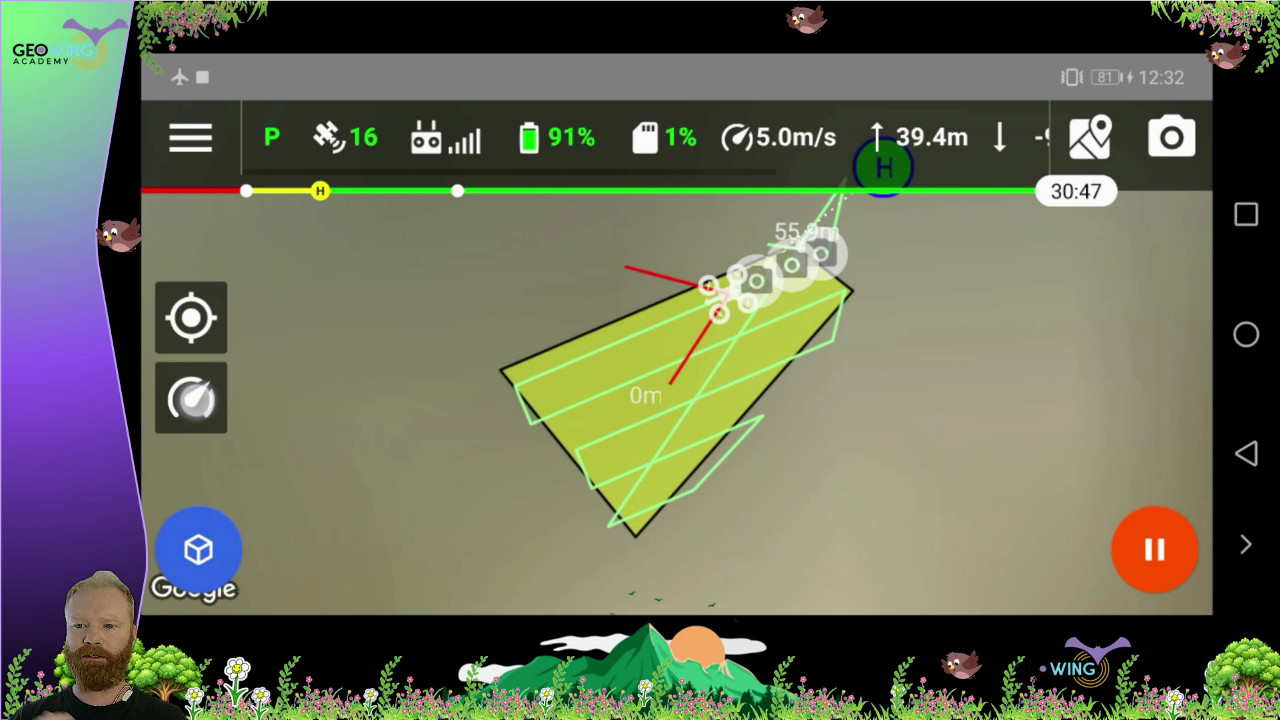
Image 2: GeoWing Academy teaches you how to use flight mission planning apps to capture data correctly. This is a snapshot from the classroom in the Foundation Course Part 2
This was it, the software platforms I needed, customisable, loads of information and forums to query things on and the ability to trial and error methods over and over until I got it right without the massive cost incursions and restricted creative space provided by the former software platforms.
But eish, everything online was based around satellite data, the big stuff. I found some extremely useful items about drone data analysis but the majority of what I wanted to do was still out of reach. So through hundreds if not thousands of drone flights, photogrammetry processing over and over and learning how to use the insane tools in open source for analysis from any scientific papers and tutorials on satellite and high resolution aerial data analysis and through countless hours of trial and error, tweaking and adjusting settings etc, I was finally starting to get somewhere. Now, I can bring that knowledge to you without you having to go through years of the same. FAST!
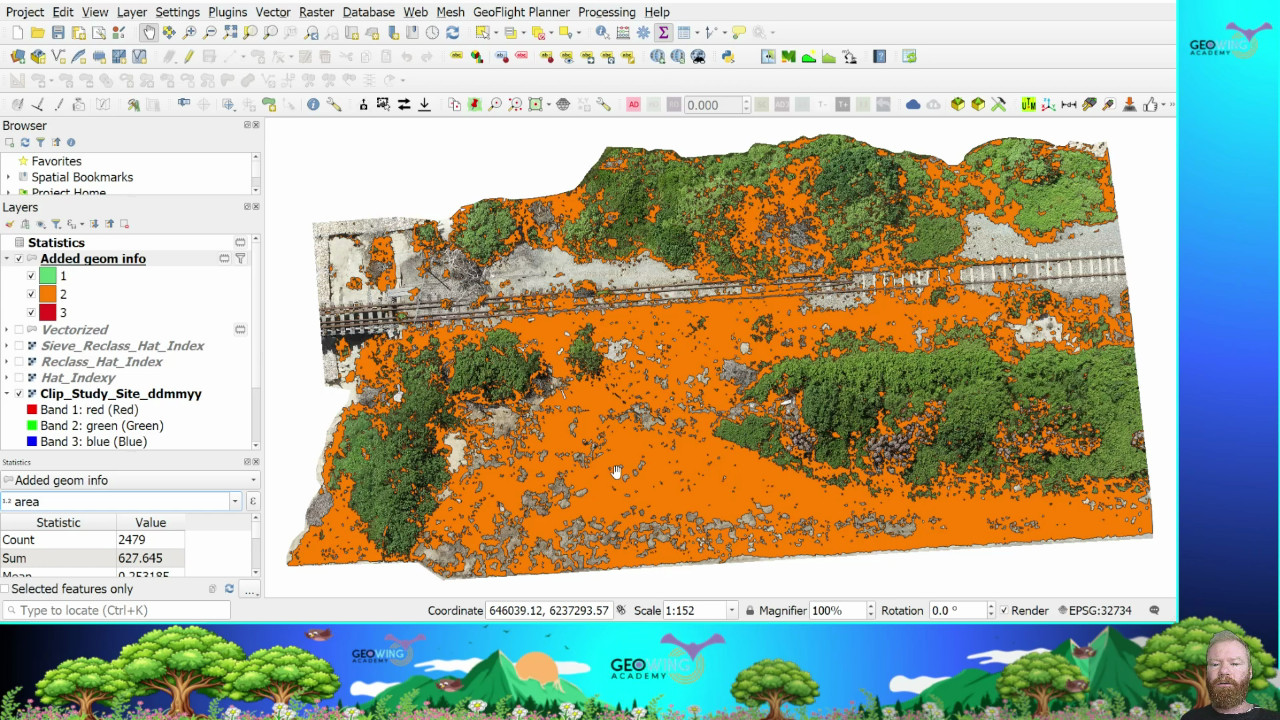
Image 3: Snapshot from GeoWing Academy Intermediate Course Part 1. High resolution drone images can be processed in GIS to isolate and quantify things like moderately healthy vegetation…
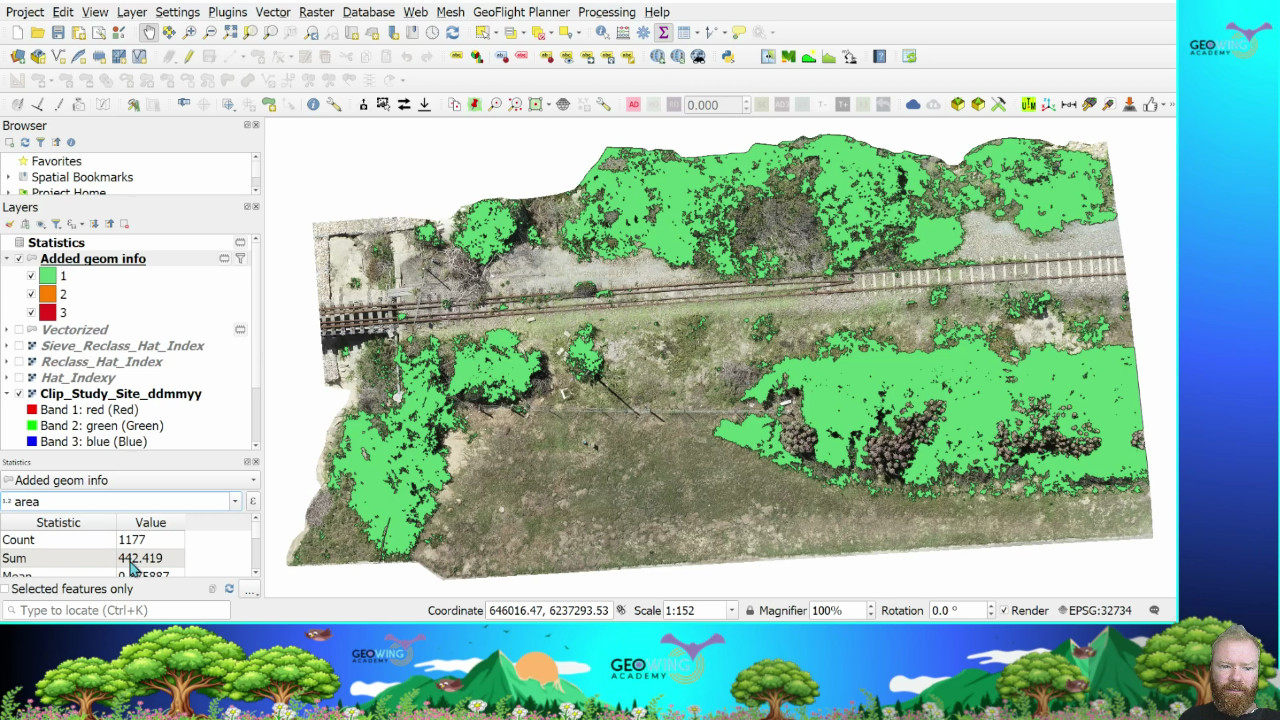
Image 4: …or healthy vegetation from the surrounding environment. This is useful for conservation and farming applications. Snapshot from GeoWing Academy Intermediate Course Part 1.
GeoWing Academy is the first of its kind in Geographic Information Systems Software (GIS) training. It focuses solely on drone data specific GIS methods that provide drone users in different fields such as nature conservation, agriculture and mining with the skills to analyse their own data accurately using primarily free open source software. This gives those that are starting out in the drone data analysis field a huge leg up, not just because the software is free, but because it is far more powerful than the expensive, well known proprietary platforms out there (if you know what you are doing). It also allows the user to customise the processing parameters to their project specific needs. And I don’t mean just the image stitching in photogrammetry, I mean the actual data analysis process after the 3D maps and models have been generated. QGIS allows for immense customisation in terms of workflows, something that ArcGIS cannot do unless you have coding or very deep knowledge of the complex software environment. QGIS has thousands of plugins and astonishing data analysis processing tools that can be configured in your own way to give you the data tables you need for your projects. Turning complex processes into super easy pipelines; drone map in – data tables, graphs and report images out in just a few clicks
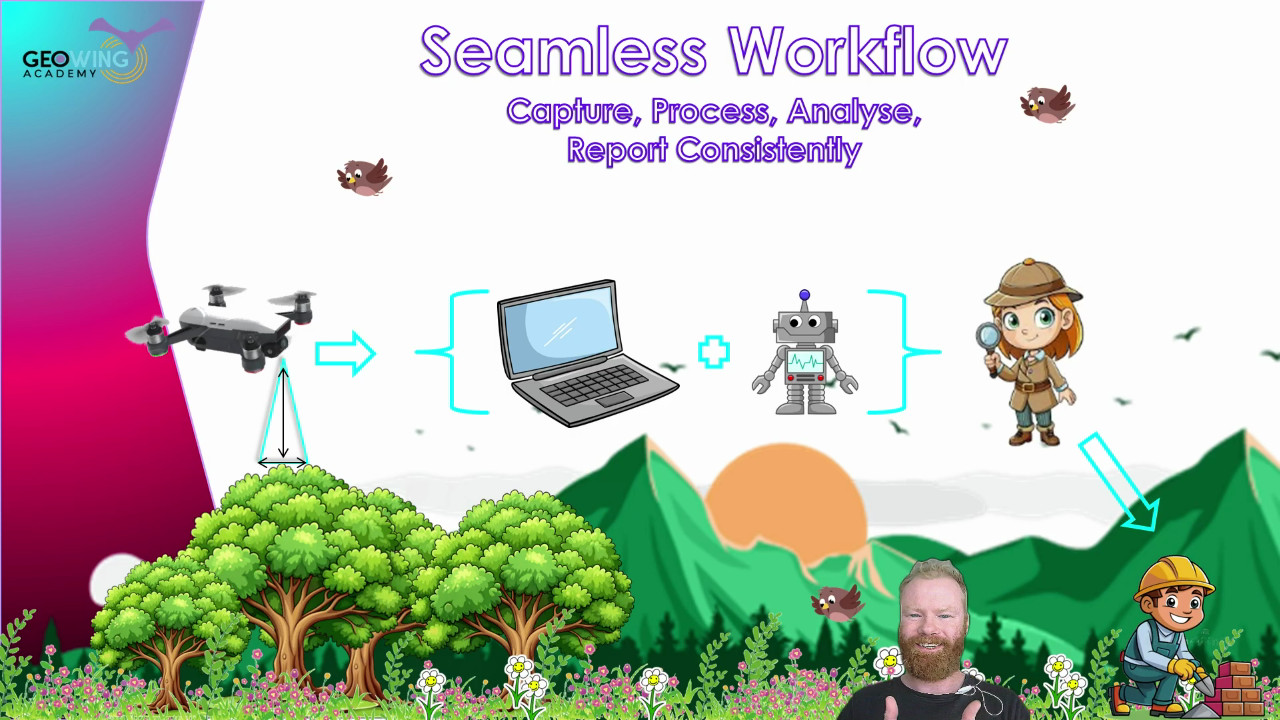
Image 5: Fly, process, run a project specific, custom, automated workflow data analysis pipeline and apply the information in the field faster than ever before. GeoWing Academy teaches you how to automate your data analysis pipelines to cut out tedious analysis steps which gets you back into the field quickly to apply the knowledge gained from the digital data. Snapshot from Geowing Academy Advanced Course
“This must take years to learn!” you may say. Well no, that is exactly why GeoWing Academy exists. You get the best training in drone data analysis from zero knowledge of subjects such as “what are drones, what are the payloads they carry and how do they work, where do they come from historically etc” to advanced skills like process automation and machine learning pipeline building all done practically in your own time and you do not need a drone because the data is provided for you.
“In just a few weeks you can go from no knowledge of the subject of drone mapping and drone data analysis at all to being extremely proficient in how to build workflows that fit your personal project needs.”
“But Pix4D does that doesn’t it?” Well yes and no. Pix4D will give you nice maps and models and some pretty pictures that you can do some analysis with, but the full scope of drone data analysis and the understanding of what the data is showing you (for example vegetation indices) is not fully encapsulated in this software. When more complex projects arise, GIS software will still need to be used and that often comes with a steep learning curve and a heavy price tag attached to it. GeoWing Academy cuts out the fluff and gives you the knowledge and skills in building proper GIS project processes with the knowledge of how to:
- first capture the data with the drone correctly,
- then how to process the data correctly in photogrammetry software
- And then how to build your analysis workflows in GIS.
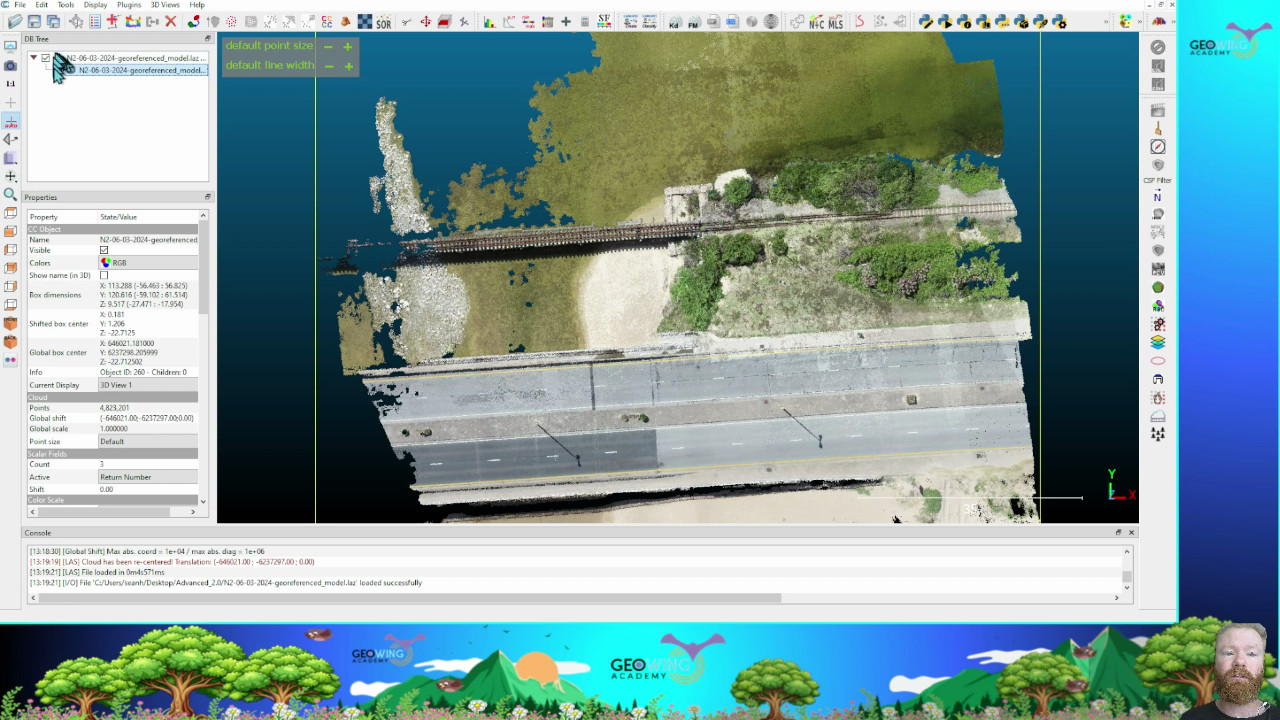
Image 6: 3D point clouds are extremely useful for analysing 3D information…
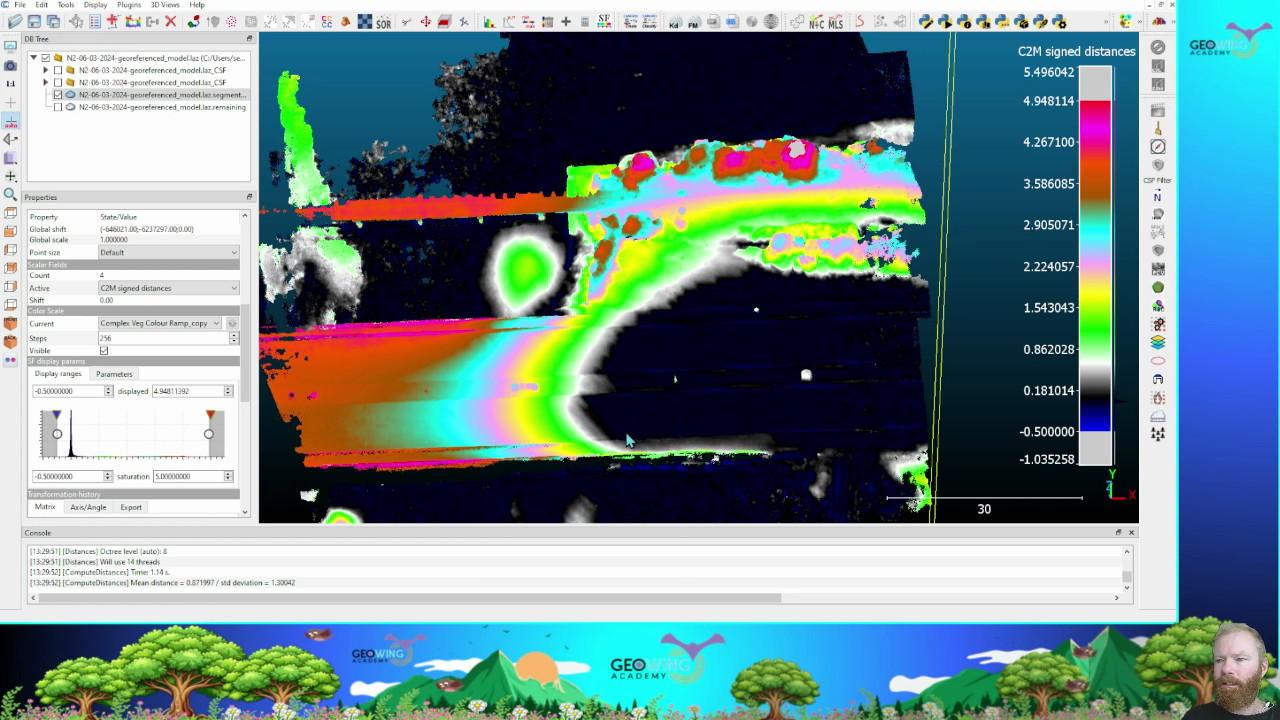
Image 7: … such as object height information. Snapshots from GeoWing Academy Intermediate Course Part 2
This puts you far ahead of drone pilots that only know how to use proprietary software platforms such as Pix4D because you are now an expert in optimising data analysis workflows for more complex projects. In other words, GeoWing Academy teaches you the fundamentals of how the data analytical system works rather than just having a tool that is easy to use but limited in its scope of use. You have full control. Therefore you can let your own creativity fly! Is there a cool new project that a drone could be used for data collection? Yes, I want to look at mussel clusters in tidal pools! Ok cool, well this is what we are looking for; colony area cover, colony expansion or reduction over time, GPS location of clusters, the surrounding habitat health (marine vegetation etc). Rad, therefore this is how we need to fly the drone because this is how we are going to run the analysis process in GIS to get the required information, images and data tables! We can then build a workflow pipeline that allows us to repeat this process seamlessly every time we run the analysis process to mitigate any human error, and we will build it like this; etc.
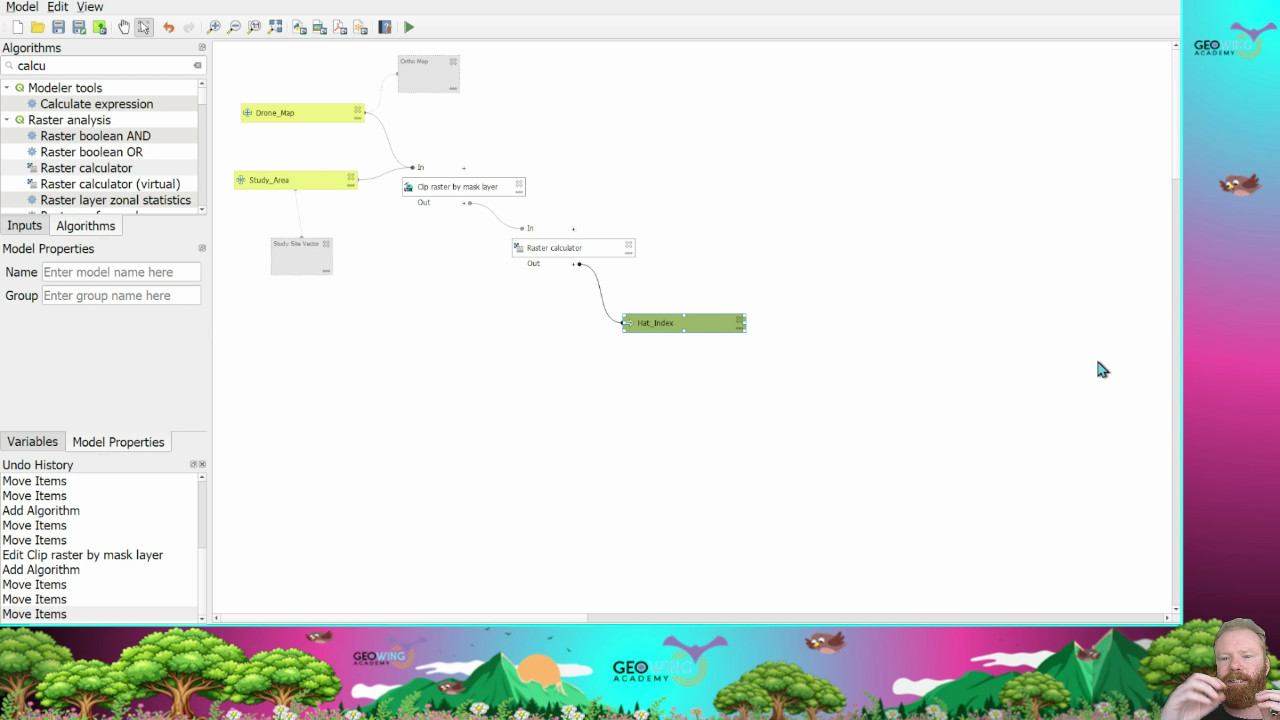
Image 8: Being able to automate complex processes saves time and mitigates human error when repeating analysis processes. Snapshot from GeoWing Academy Advanced Course
I am not slagging off proprietary software platforms like ArcGIS and Pix4D, make no mistake they are brilliant software platforms and have their place. But for truly understanding the process and allowing your creative freak flag to fly to its fullest extent, open source is the way to go!
So in summary, you are no longer someone who flies a drone and makes cool maps and 3D models, you are now a digital twin scientist. You can design projects around the needs of the analysis process, you have a huge pool of knowledge to draw from when setting up a project or thinking of ways that drones can be used to map and monitor the world around us and that my friend, puts you a cut waaay above the rest!